PDF to QR code
Turn a PDF into a QR code
Upload a PDF and get a QR code any phone camera can scan. It is free and needs no signup; a code made without an account works for 7 days. Make a free account and it never expires unless you set a date, and you can see how many people opened it.
Drop your PDF here
or click anywhere in the tray to browse
PDF only · max 20MB
Free · no signup · codes made without an account last 7 days · sign up on the next step to keep yours
What you get
- A print-ready PNG. Download the QR as a clean PNG and drop it into a flyer, menu, business card, slide, or packaging. It scans the same on screen or in print.
- Replace the file, keep the code (Pro). The QR encodes your EveryPage share link, not the PDF itself. On Pro, swap the PDF behind the link and every printed code opens the new version on the next scan, with nothing to regenerate or reprint.
- No app to scan. Every modern phone camera opens a QR code natively. Recipients point, tap the link, and the PDF opens in the browser - nothing to install on either side.
- Scans and reading, tracked.Every scan is recorded. A free account counts views and readers; Basic adds the full PDF tracking report: QR scans shown apart from link clicks, per-page reading time, a read-through funnel and returning readers. Reader IP addresses are never stored.
- Download control, expiry and passwords. Turn downloads on or off or set an expiry date on any plan, and add a password on Basic. Change any of it later without touching the printed code. On a free account, links never expire unless you set a date.
- Just need the link?Every PDF gets a shareable link alongside its QR code. See PDF to link.
What is a PDF QR code?
A PDF QR code is a QR code that opens a PDF document when someone scans it with a phone camera. Instead of emailing a file or reading out a long URL, you print or display the code and a scan takes the reader straight to the document. The QR itself does not contain the PDF: it encodes a link to where the PDF is hosted. That is why a PDF QR code generator has to host the file as well as draw the code, and why a QR is only ever as useful as the page it points to.
The code points to an EveryPage share link, so the PDF opens in a reading view and a free account counts every open. You can turn downloads off or set an expiry on any plan, or add a password on Basic, all without touching the printed code.
How to create a QR code for a PDF
- Upload your PDF. Drop it in the box above - no account needed - and EveryPage hosts it as a secure, shareable link.
- Open the QR code. Every share link comes with a generated QR code alongside the link and embed code.
- Download the PNG. Save the QR as an image and add it to whatever you are printing or presenting.
- Watch the scans. A free account counts views and readers, scans included. Basic shows QR scans as their own source and how long each page was read.
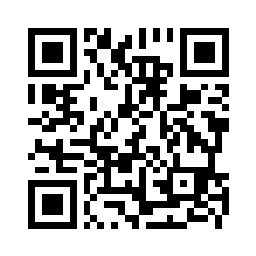
Try scanning this one with your phone - it opens a sample PDF in the browser:
or open the sample PDFIs it free?
Yes. Without an account you get the QR code and link straight away, and the link lasts 7 days. A free account keeps up to 3 PDFs (20 MB each), their codes never expire unless you set a date, and it counts views and readers. Basic ($9 a month) adds a password, QR scans shown apart from link clicks, and page-by-page reading. Pro ($29 a month) lets you replace the PDF behind a printed code.
Do PDF QR codes expire?
The QR code itself never expires. It is a picture of a web address, so it keeps scanning for as long as the image exists. What can stop working is the address it points to: if that page goes away, every printed copy of the code leads nowhere.
On EveryPage, a code made without an account points to a link that lasts 7 days. Make a free account and the link never expires unless you set a date yourself. That matters because some QR code generators make codes on a free trial and switch them off when the trial ends, even if the code is already in print.
Can I track QR code scans?
Yes. A free account counts views and readers. Basic separates QR scans from link clicks and adds how long each page was read and where readers stopped, which is PDF tracking. Reader IP addresses are never stored.
Can I make a PDF QR code with Google Drive?
Yes, in two steps: share the PDF from Google Drive as "Anyone with the link", then paste that link into any QR code generator. It works, but the code then depends on the Drive file and its sharing setting staying exactly as they are, and a personal Google account cannot see who opened it. Uploading here does both steps at once, and a free account counts how many people opened it.
Can I change the PDF after printing the QR code?
Yes, on Pro. The code points to the EveryPage share link, not to the file, so replacing the PDF behind the link (see dynamic QR links) changes what every printed code opens on the next scan. The URL, short link, password and settings stay exactly as they were: nothing to regenerate, nothing to reprint.
Where PDF QR codes are used
- Print & packaging: a manual, spec sheet, or care guide behind a code on the product or box.
- Events & handouts: a one-pager, menu, or programme on a poster, table tent, or badge.
- Sales & marketing: a deck or brochure on a business card or flyer - with proof it was read.
PDF QR code questions.
How do I turn a PDF into a QR code for free?
Upload the PDF to EveryPage, no account needed, and it hosts the file and makes a QR code alongside the share link. Download the QR as a PNG and print or display it. Without an account the link lasts 7 days; a free account keeps up to 3 PDFs whose codes never expire unless you set a date.
Do people need an app to scan a PDF QR code?
No. Every modern iPhone and Android camera reads QR codes natively - the reader points their camera at the code and taps the link that appears, and the PDF opens in their browser. Nothing to install.
Can I see how many people scanned the QR code?
Yes. Every scan is recorded and counted as a view. On a free account you see views and readers; Basic shows QR scans separately from link clicks, plus page-by-page reading time and a read-through funnel. Reader IP addresses are never stored.
Is there a free PDF QR code generator with no expiration?
Yes. Make a free EveryPage account, upload your PDF and download its QR code: the link behind it never expires unless you set a date. Without an account the code works straight away, but its link lasts 7 days. The free plan covers up to 3 PDFs.
Do QR codes expire?
A QR code image never expires; it works for as long as the address inside it does. Codes stop working when that address is switched off, for example when a link expires or a trial QR service ends. On a free EveryPage account the address never expires unless you set a date.
Make a trackable PDF QR code.
Upload a PDF and download its QR code. Make a free account to keep the code working and count every open. Reader IP addresses are never stored.
Upload a PDFRelated: PDF to link · dynamic QR links: replace the PDF, keep the code (Pro) · PDF read tracking · free ways to host a PDF online · restaurant QR menus