Best Sales Proposal Software: 7 Top Tools
Nick · Published 7 August 2026
You've spent hours shaping a proposal, refining pricing, and making sure the language sounds right. Then you hit send and the waiting starts. A buyer may open it, skim it, forward it, or ignore it, and without the right software you're left guessing what happened after delivery. The best sales proposal software gives you more than a simple open notice, it shows which pages got attention, how far people read, and whether the document moved the deal forward. That matters because buyers increasingly expect a digital buying experience, and proposal tools now sit at the point where speed, tracking, and signing all affect whether a deal keeps moving.
Table of Contents
- 1. EveryPage
- 2. PandaDoc
- 3. Proposify
- 4. Qwilr
- 5. Better Proposals
- 6. GetAccept
- 7. Nusii
- Top 7 Sales Proposal Software Comparison
- Choosing the Right Platform for Your Sales Process
1. EveryPage
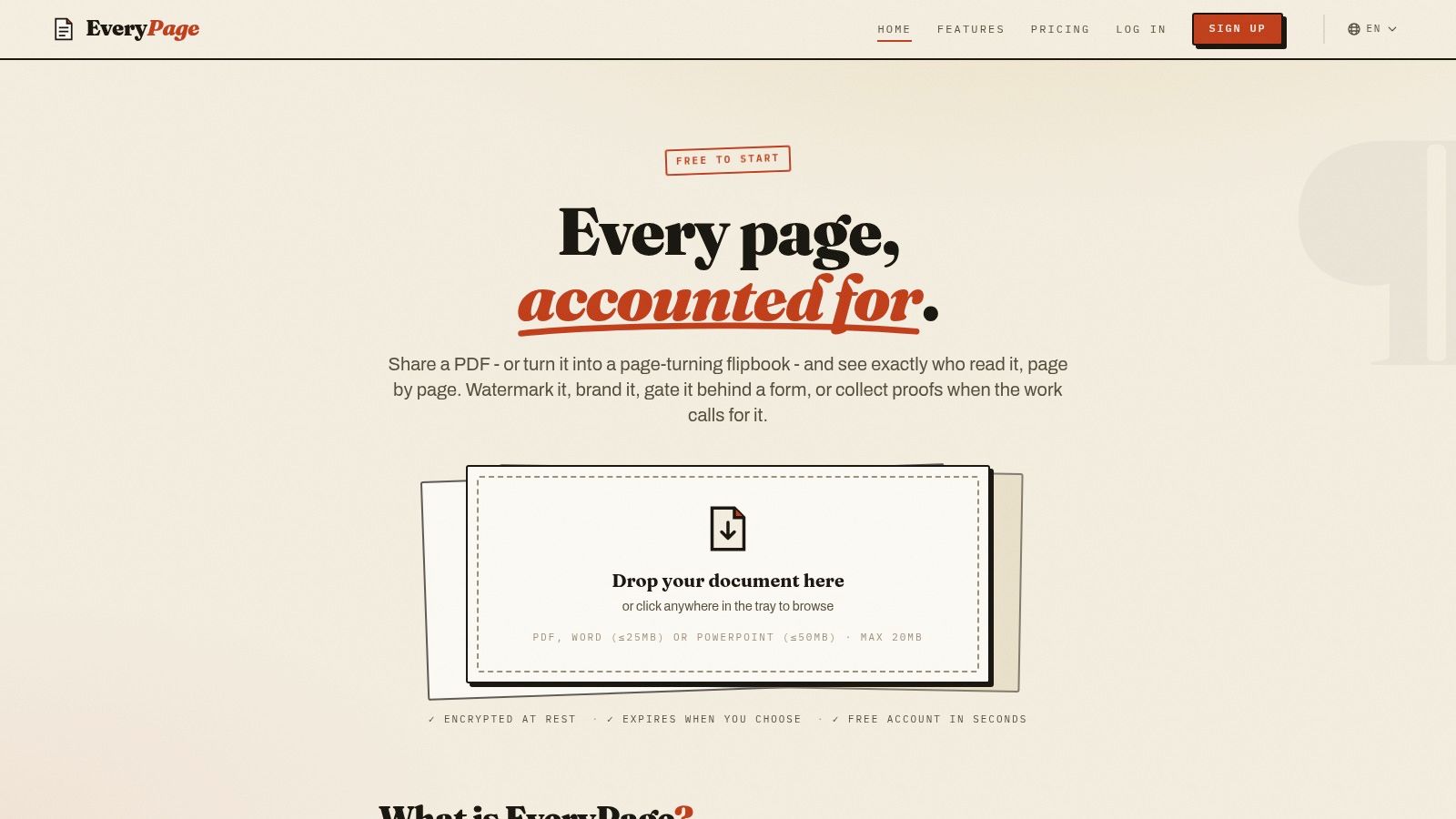
EveryPage.co is our product, and it's built for teams that want page-level analytics without treating a proposal like a throwaway attachment. You can upload a PDF, or convert Word and PowerPoint files, then share a browser-based viewer immediately, with no account required for the sender or reader. That keeps the handoff fast for a founder sending a pitch deck, a freelancer sending a proposal, or an account executive chasing a late-stage signature.
EveryPage's sales proposal PDF tracking guide explains the mechanics in more detail, but the practical value is simple. You can see views, time on page, read-through funnel, re-read rate, and an overall engagement score, which gives sales reps a better way to prioritise follow-up than a basic open alert. The privacy angle matters too, because EveryPage uses pseudonymous reader identities and does not store reader IP addresses, which is a real advantage if you need useful analytics without collecting more personal data than you need.
Practical rule: if a buyer returns to the pricing page, that's a better follow-up trigger than a generic open, but you still need to interpret the signal in the context of the deal.
Security and control are part of the product, not an afterthought. EveryPage supports password protection, watermarking, custom domains, QR codes, dynamic links with file replacement, and four viewer modes, standard, flipbook, swipe, and magazine. The links can be permanent and updated in place, or you can choose expiry and self-destructing controls when a deal needs tighter distribution. That makes it more durable than tools that only think in terms of short-lived sends.
The trade-off is scope. EveryPage is not a full enterprise virtual data room, and organisations that want heavier admin structures or compliance-centric workflows may prefer a more specialised platform. Still, the flat pricing, Free, Basic $9/mo, and Pro $29/mo, with no per-user fees, is hard to ignore if you're comparing it with tools that charge per seat. It also connects into real workflows through Zapier, Make, WordPress, webhooks, Slack, and GA4, so the analytics don't stay trapped inside one dashboard.
Best for sales teams, founders, and privacy-conscious teams that want tracked document sharing with page-level insight and no reader account friction.
Limitations include the fact that some advanced controls sit behind paid tiers, and it isn't designed to replace a heavyweight enterprise document room.
Website, EveryPage
2. PandaDoc
PandaDoc fits teams that want proposals, quotes, contracts, and signatures in one place. It's the sort of platform sales managers choose when they're tired of bouncing between a document editor, a quoting tool, and an e-signature app. The drag-and-drop editor, pricing tables, and broad integration set make it useful for teams with a more complete document workflow.
Why it works for broader sales workflows
The strongest case for PandaDoc is consolidation. If your reps need to create a proposal, add pricing, send it for signature, and keep the rest of the process in one system, PandaDoc is built for that. It also appeals to teams that need CRM connectivity and structured document flows, especially when proposals are tied closely to opportunity records.
The downside is that breadth can feel heavy if all you want is tracked PDF sharing. A smaller sales team may not need deal rooms, CPQ options, or a full proposal-to-contract stack. That extra scope can also mean more setup than a rep wants when they just need to send a polished proposal quickly.
A platform can be excellent at signatures and still be more than you need for simple proposal follow-up.
For teams evaluating it alongside EveryPage, the difference is clear. PandaDoc is a stronger fit if you're standardising the entire proposal and signature workflow. EveryPage is the better fit when the priority is privacy-friendly readership analytics, no reader account, and flat per-account pricing rather than a full contract operation.
I've kept one internal comparison link here because that choice often comes up in buyer conversations: EveryPage versus DocSend versus PandaDoc.
Best for sales teams that need end-to-end proposal creation, e-signature, and contract workflows.
Limitation worth calling out, it can be more platform than a lean team needs if the job is document tracking rather than full document management.
Website, PandaDoc pricing
3. Proposify
Proposify makes sense when proposal governance matters as much as speed. Its reputation comes from a proposal-first workflow, where branded templates, section-based analytics, and approvals are central rather than bolted on. For larger sales teams, that matters because the rep who sends the proposal and the manager who approves it often need different controls.
Where it stands out in practice
The useful part of Proposify is that its analytics map more closely to proposal structure than to raw file views. That helps when you want to know which sections people spent time on, and it's a cleaner fit for follow-up than basic “opened” alerts. The workflow also suits organisations that want roles and approvals before anything goes out the door.
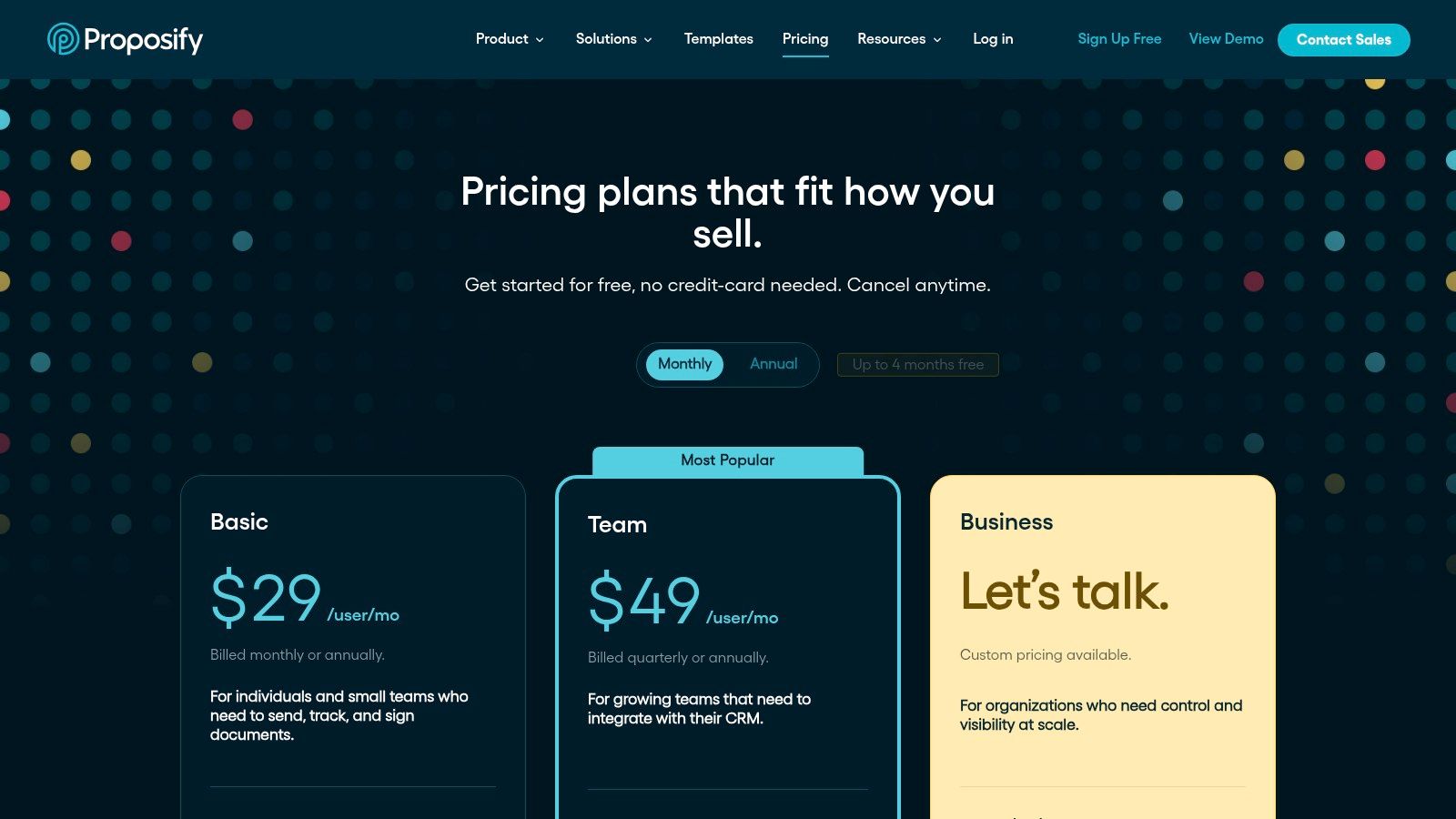
That same structure can be a drawback for smaller teams. If you're a consultant or a founder trying to send a polished quote without maintaining a lot of content governance, Proposify can feel like more process than payoff. There's also a practical pricing issue to watch, because send limits and overage handling mean you need to manage usage more carefully than with a flat account model.
The integration story is still strong enough to matter, especially if Salesforce sits at the centre of your sales process. The question is whether you want proposal governance first, or lightweight sharing first. If your answer is governance, Proposify is a credible option. If your answer is analytics with privacy-conscious sharing, EveryPage still offers a more direct fit.
Practical rule: use proposal analytics to decide who needs a call, not to replace judgment about the deal itself.
Best for teams that need proposal approvals, content libraries, and section-level engagement visibility.
Limitation to keep in mind, send limits and add-on costs require more budget monitoring than simple flat-rate tools.
Website, Proposify pricing
4. Qwilr
Qwilr is the best fit when the proposal itself needs to look like a polished web experience. It's designed for teams that sell visually, where embedded media, calculators, and interactive pages make a stronger case than a static PDF. If a prospect responds better to a branded microsite than a document attachment, Qwilr earns its place.
Built for presentation-heavy selling
Qwilr feels different from traditional proposal software. The proposal lives as a web page, which can be an advantage for agencies, creative teams, and B2B sellers who need to show value rather than just list terms. Its automation features also help once teams start producing the same kind of proposal repeatedly.
The trade-off is familiarity. Some stakeholders still want a document they can skim and forward in the way they're used to. If your buyer prefers PDFs or your sales cycle depends on a conventional document format, Qwilr's presentation style may not suit every account. Pricing structure also needs attention because user minimums and usage-based automation can raise the total cost as a team grows.
For sales leaders, the question is whether visual presentation changes buyer behaviour enough to justify the format shift. In design-led deals, often yes. In more conservative buying committees, the format may feel too web-native.
Best for design-led proposals, interactive pricing, and teams that want a web-first buying experience.
Limitation is simple, some buyers still prefer a traditional proposal document over a microsite-style layout.
Website, Qwilr pricing
5. Better Proposals
Better Proposals is built for speed. Freelancers, agencies, and small sales teams tend to use it when they want to send a professional proposal without spending time learning a complex system. The selling point is straightforward, clean templates, quick edits, and enough analytics to know whether a prospect engaged.
A sensible choice for smaller teams
The appeal here is practical. You can produce a proposal quickly, keep the branding consistent, and follow engagement without dragging the process into a larger sales stack. If you work alone or with a very small team, that simplicity saves time every week.
It's also a platform that's easier to understand on day one than the more process-heavy options. That matters because some proposal software ends up becoming a project in itself. Better Proposals is more focused on getting a solid document out the door and tracking response signals after delivery.
The compromise is depth. If your team needs complex approvals, deep governance, or advanced automation, you'll probably outgrow it. It's also not the first pick for multi-layered enterprise selling, where compliance and structured review matter more than speed.
For teams comparing pricing models, the difference between simple plan structures and per-user platforms becomes obvious. A compact proposal tool can look affordable until usage expands. EveryPage's flat per-account model solves a different problem, especially if your main goal is tracked document sharing rather than a heavier proposal workflow.
Website, Better Proposals pricing
Best for freelancers, consultants, and small agencies that want quick proposal creation with light analytics.
Limitation is that it doesn't offer the depth of governance or advanced automation that larger sales organisations often need.
6. GetAccept
GetAccept is aimed at teams that want the buyer experience to feel collaborative, not just transactional. Its Digital Sales Room approach combines proposal creation, e-signing, CPQ, and live engagement tools like chat and video. That makes it useful when a sales rep is trying to keep multiple stakeholders aligned through a complex deal.
Good for guided closes
The strongest use case is a deal with too many moving parts for email alone. A rep can keep the buyer inside one shared environment, use engagement cues to understand who's involved, and reduce friction around pricing or next steps. That can be especially helpful in longer enterprise cycles where the buyer team wants a single place to review everything.
The downside is that it's easy for this kind of platform to be more than a smaller team needs. If you're not managing a layered sales process, the Digital Sales Room can feel like too much apparatus for a straightforward proposal. There's also the practical question of commitment, because full capability is often positioned for teams ready to adopt a larger workflow.
If your priority is to know whether a prospect opened a document and which pages got attention, EveryPage stays more direct. I've included a separate reference for teams that care specifically about that style of visibility: EveryPage read receipts for PDFs.
Best for complex deals that need buyer collaboration, CPQ, and a more guided closing process.
Limitation is that it may be excessive for teams that only want simple proposal tracking.
Website, GetAccept pricing
7. Nusii
Nusii is the straightforward option for people who want proposal software without a lot of ceremony. It suits consultants, freelancers, and small agencies that need to send clean proposals, capture signatures, and keep an eye on whether a client engaged. The pitch is clarity over complexity.
The value of keeping things lean
That simplicity is its biggest strength. A small team can move quickly, avoid a steep learning curve, and stay organised without building an internal process around the software. The custom domain support and branding controls help the proposal feel professional without adding much overhead.
Nusii's limits are equally clear. It isn't designed for complex enterprise workflows, deep CPQ, or heavy collaboration. If your sales process includes multiple reviewers, approval layers, and a larger CRM-driven system, you'll probably want something more powerful.
For many users, though, that's the point. You don't always need a large platform to send a persuasive proposal. You need speed, clarity, and enough tracking to know whether the buyer is paying attention.
Best for solo users and small teams that want a lean proposal tool with low friction.
Limitation is that it's not built for enterprise sales operations.
Website, Nusii pricing
Top 7 Sales Proposal Software Comparison
| Product | Implementation complexity | Resource requirements | Expected outcomes | Ideal use cases | Key advantages |
|---|---|---|---|---|---|
| EveryPage | Low, instant upload/share; optional paid controls | Minimal, browser-based, flat pricing; optional integrations | Privacy-preserving, page-by-page engagement metrics and shareable viewers | Sales outreach, creatives, compliance teams needing proof-of-read | Granular analytics, privacy-first pseudonymous IDs, per-viewer controls |
| PandaDoc | Medium, editor plus CPQ and integration setup | Moderate, user accounts, CRM/SSO integration for scale | Consolidated proposal → e-sign → payments workflow with recipient analytics | Sales teams needing all‑in‑one proposal, e‑sign and CPQ capabilities | End-to-end workflow, scalable, large integration library |
| Proposify | Medium, proposal-first setup, roles/approvals configuration | Moderate, user accounts, CRM/Salesforce options | Branded proposals with section-level analytics and approval workflows | Teams prioritizing proposal analytics and governance | Proposal-focused UX, section analytics, roles/permissions |
| Qwilr | Medium, design-focused authoring; API/automation adds complexity | Moderate to high, design assets, possible API usage and usage-based costs | Interactive, web-native proposals with embedded media, calculators and payments | Design-led sales collateral and automated web proposals | Design-focused interactive pages, automation via API and Smart Proposal Engine |
| Better Proposals | Low, fast setup with templates and simple editor | Low, minimal setup, suitable for small teams | Quick professional proposals with basic analytics and payments | Agencies and small businesses needing speed and simplicity | Ease of use, responsive templates, good value for small teams |
| GetAccept | High, Digital Sales Room, live chat/video and CPQ setup | High, buyer-collaboration tools, deep CRM/CPQ integrations, higher tiers | Collaborative deal rooms with live engagement insights to accelerate complex closes | Enterprise sales managing complex deals and stakeholder engagement | Buyer collaboration (chat/video), deal-room timelines, deep CRM/CPQ |
| Nusii | Low, simple editor and templates, minimal configuration | Low, optimized for solo users and small teams with transparent limits | Clear, fast proposals with essential analytics and e-sign | Freelancers, consultants and small agencies | Minimal learning curve, transparent pricing and usage limits |
Choosing the Right Platform for Your Sales Process
The best sales proposal software isn't just about making documents look polished, it's about turning them into assets you can act on. If you need e-signatures, contract handling, and a broader document workflow, PandaDoc or GetAccept may suit you better. If you need proposal governance and section-level review, Proposify is stronger. If your priority is visual presentation, Qwilr makes more sense. If you want a lean tool for small-team proposals, Better Proposals or Nusii can do the job without much training.
For teams that care most about page-level analytics, the choice is different. EveryPage is built to show which pages people read, how long they spent there, and whether they came back, while keeping the process simple for the sender and the reader. The privacy-first approach, with no stored IP addresses, also matters if you want buyer insight without drifting into overcollection.
Budget structure should influence the decision too. Per-user pricing can work for larger operations with strict seat allocation, but it can become awkward for small teams that want everyone to send proposals without adding seat cost. EveryPage's flat per-account pricing is one of its clearest advantages in that comparison, especially when you need tracked sharing rather than a full contract platform.
The right choice comes down to what your reps do after they send a proposal. If they need signatures, pick a signature-first platform. If they need tracked readership, pick a platform that shows real attention signals instead of only opens. If they need both, evaluate where your process is leaking time and choose the tool that fixes that bottleneck first.
If you want proposal tracking that tells you more than whether a file was opened, EveryPage gives your team page-level analytics, privacy-conscious sharing, and durable links that can be updated instead of replaced. It's a practical fit for sales teams that need to follow up on real buying signals without adding reader friction. Visit EveryPage to see how it handles proposal sharing, analytics, and pricing in one place.
See who reads your next PDF.
Try EveryPage free