Document Sharing Software: A 2026 Buyer's Guide
Nick · Published 3 September 2026
A sales lead forwards a 40-page proposal PDF to a prospect late on Friday. On Monday, she can see the email was sent, but she can't tell whether the prospect read the pricing section, whether procurement opened the file, or whether the document disappeared into a crowded inbox. That gap between sending a document and knowing what happened next is where document sharing software earns its place.
Many teams start with email attachments, Google Drive links, or WeTransfer. Those tools can move files, but each leaves a different operational gap. Email provides little useful viewer insight. A shared drive link can be difficult to control after sending. A transfer service may solve delivery without giving the document a durable identity or showing how readers engaged with it.
The right purchase comes down to three questions: who is sending, what you need to learn about the reader, and what the reader must be able to do. They might only need to view a policy, sign a contract, comment on a design, or download a final deliverable. Those workflows shouldn't be judged by the same feature checklist.
The market context explains why this decision now matters beyond sales enablement. One independent overview values the global document management software market at USD 7.68 billion in 2024, with a projection of USD 18.17 billion by 2030 and a 15.9% CAGR from 2025 to 2030. Another estimates USD 7.1 billion in 2022, forecasting USD 34.2 billion by 2032 and a 17.3% CAGR from 2023 to 2032, as reported in this document management statistics overview. The figures use different market definitions, but they point in the same direction: document sharing has become infrastructure, not a minor productivity add-on.
Table of Contents
- Why Choosing Document Sharing Software Is Harder Than It Looks
- The Criteria That Actually Separate Document Sharing Tools
- EveryPage, DocSend, PandaDoc and the Main Alternatives Compared
- Best Document Sharing Software by Team and Use Case
- Privacy, Analytics and the IP Question in Document Sharing
- Pricing Models and What to Verify in a Real Trial
- Choosing the Right Document Sharing Software for Your Team
Why Choosing Document Sharing Software Is Harder Than It Looks
A proposal is rarely just a file. It's a sales conversation, a record of what was offered, and often the material a prospect uses to brief other stakeholders. Once the PDF leaves your laptop, the important question isn't whether the link worked. It's whether the right people read the right pages and what they did afterwards.
That's why familiar tools create false confidence. Email attachments are convenient but provide no dependable view of reading depth. Google Drive and Dropbox are strong places to store and collaborate on files, yet their sharing experience often centres on access rather than page-level engagement. WeTransfer is useful for a one-off handoff, but it treats delivery as the main event.
Start with the sender
A founder sending an investor deck has a different job from a photographer sending proofs. The founder needs to understand whether a recipient reached the financial model and returned to the deck. The photographer needs comments, selections, and a clean presentation that clients can open without installing anything.
A consultant sending a policy document may care about read receipts and controlled access. A marketing team may need an embedded PDF with a lead form and a branded domain. The sender's workflow determines the minimum viable feature set.
Define what the reader must do
Don't buy a signing platform if your readers only need to review a proposal. Don't buy a file-transfer tool if you need comments, approval evidence, or a link that remains useful after a revision.
Write down the required reader action:
- View only: Use browser delivery, passwords, download restrictions, and a clear record of access.
- Read and respond: Add comments, annotations, proofing, or lead capture.
- Sign and complete: Choose a contract workflow with native e-signatures.
- Download and reuse: Prioritise permissions, watermarking, version control, and a stable replacement process.
The most common mistake is choosing by vendor feature count. A platform can list analytics without showing page-level behaviour, offer access controls without useful revocation, or support collaboration without preserving a trustworthy version history.
Practical rule: Choose the platform that answers your next operational question, not the one with the longest feature page.
The Criteria That Actually Separate Document Sharing Tools
A useful platform has to fit the moment before sending, the period while a document is being read, and the work that follows. Evaluate these six criteria against a real document, not a polished demo.
Access controls must match the risk
A compliance team sending a security whitepaper to a named prospect may need a password, view-only permissions, watermarking, an expiry date, and a record of access. A founder sharing a public brochure may need none of those controls. The platform should let the sender apply the right restrictions without making ordinary sharing painful.
For the underlying infrastructure, CIS Benchmarks provide consensus-based security configuration guidance for the servers, storage, identity systems, and browser-facing components that host sharing links. For regulated workflows, secure file-sharing guidance also points buyers towards encryption, MFA, granular access control, audit trails, and DLP or content-classification controls, as outlined in this secure file-sharing guidance for research institutions.
Analytics should answer a follow-up question
A marketer doesn't need a vague “opened” notification. They need to know whether a CFO reached page 14, paused at pricing, and returned later. Page-level views, time on page, read-through funnels, and re-read behaviour create a much more useful basis for prioritising outreach.
Privacy matters here. Analytics should explain what gets collected, why it's collected, and whether the sender can measure engagement without retaining raw network identifiers.
Embeds should support distribution, not just display
A demand generation team may want to place a PDF on a resource page, inside an email journey, or within a WordPress site. Look for responsive browser viewing, branded presentation, lead capture, and analytics that remain connected when the document is embedded.
A plain download button sends the reader away and breaks the chain between content and engagement. An embedded viewer can keep the asset in context while showing whether the visitor reached the useful sections.
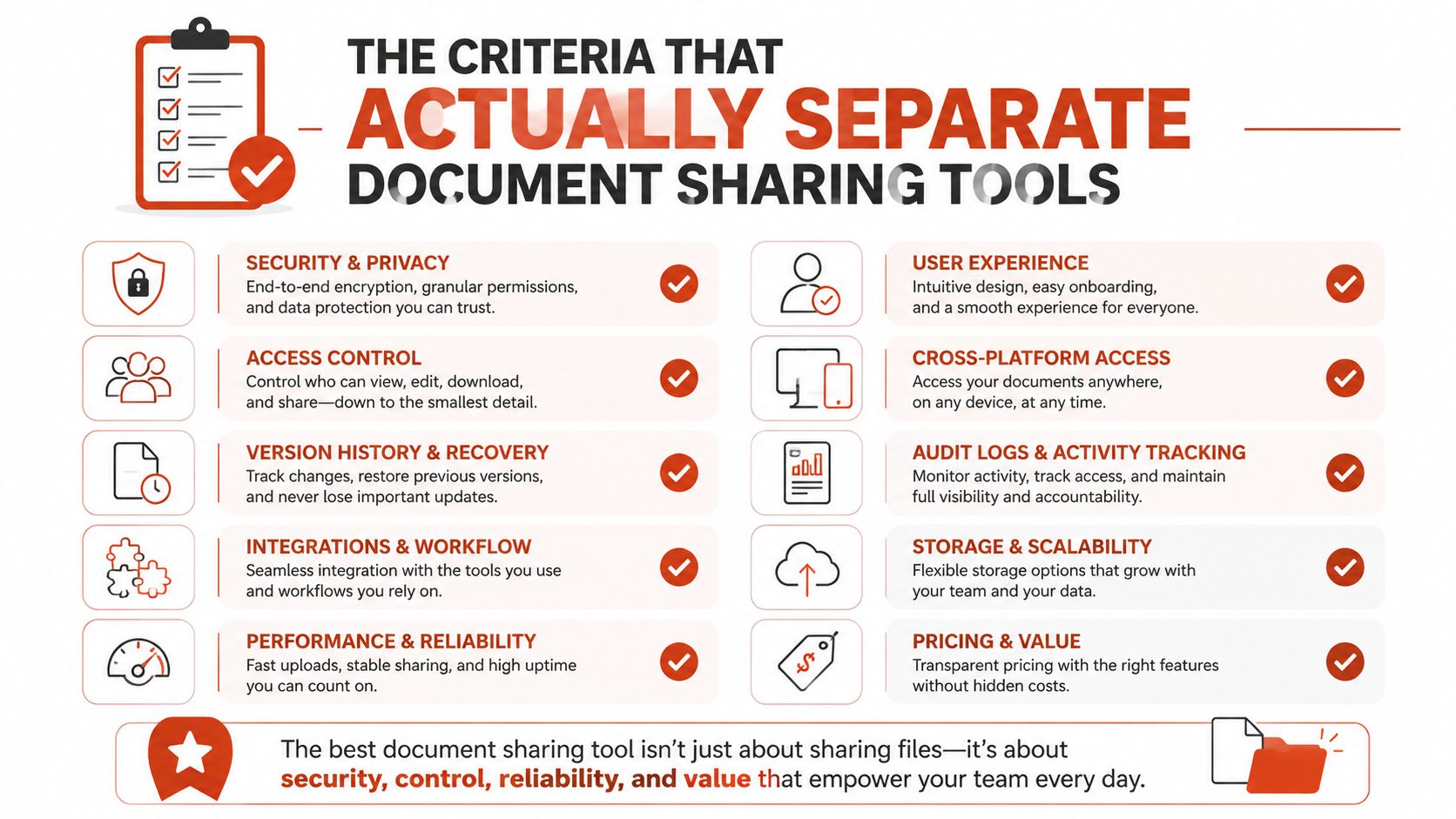
Lead capture shouldn't block every reader
A consultant may want an email gate before sharing a detailed report, but forcing every reader through account creation can reduce completion. Check whether forms are configurable, whether fields are optional, and whether known recipients can access the document without unnecessary friction.
Collaboration needs a useful audit trail
Legal and creative teams need more than a comment box. They need annotations, proofing, version control, and a way to distinguish feedback from an approved revision. A photographer sharing proofs should be able to collect selections in the same experience rather than reconstructing decisions from email threads.
Distribution determines whether links remain valuable
Check custom domains, QR codes, domain restrictions, watermarking, CSV export, and link replacement. The strongest distribution model lets a team update the file behind the same URL, preserving the link in an email, presentation, QR code, or website.
That last capability changes the document from a disposable attachment into a durable, trackable asset. Expiry and self-destructing links can remain available as sender-controlled safeguards, but they shouldn't define the product.
EveryPage, DocSend, PandaDoc and the Main Alternatives Compared
The matrix below focuses on the six decisions that affect daily work. It isn't a universal ranking. Each platform solves a different part of the document lifecycle.
| Platform | Access Controls | Analytics | Embeds | Lead Capture | Collaboration | Distribution |
|---|---|---|---|---|---|---|
| EveryPage, our product | Password protection, watermarking, optional expiry, controlled viewing | Page-level views, time on page, read-through funnel, re-read rate | Website embeds, WordPress plugin, GA4 | Email gates and custom forms | Comments, annotations, photo proofing | Custom domains, QR codes, dynamic replacement links |
| DocSend | Strong fit for controlled sales sharing | Detailed engagement for identified recipients | Less suited to embedded content experiences | Sales-oriented capture options | Sales document workflows | Link-based delivery and document controls |
| PandaDoc | Strong in deal and contract workflows | Better suited to deal progression than read-only reading depth | Document and deal-room presentation | Workflow-dependent | Native e-signature and contract collaboration | Proposals, contracts, and deal rooms |
| Dropbox | File and folder permissions | Limited per-document reader insight | Basic sharing and file presentation | Not its central use case | Strong file collaboration | Links, folders, and downloads |
| Google Drive | Broad permission and workspace controls | Limited page-level engagement | Sharing and workspace embedding options | Not its central use case | Strong real-time collaboration | Links, folders, and downloads |
| WeTransfer | Simple delivery controls | Limited engagement insight | Not designed as an embedded reader | Not its central use case | Minimal | One-off transfer links |
| Adobe Acrobat Share | Useful for teams already invested in Adobe workflows | Depends on the surrounding Adobe setup | PDF-centred sharing and presentation | Workflow-dependent | Strong PDF review capabilities | PDF sharing and document workflows |
EveryPage is our product, and its clearest distinction is privacy-first page analytics, browser viewing without a reader account, embedded delivery, and dynamic links that preserve a URL after file replacement. Someone can upload a PDF and obtain a tracked link immediately, without creating an account to share it. Readers don't need an account or app either.
Its honest limitation is scope. EveryPage is not the natural choice for a compliance department that needs a large enterprise governance programme, nor is it a replacement for PandaDoc when native e-signature and contract orchestration are the centre of the workflow. This comparison of DocSend, EveryPage and PandaDoc is useful when the decision sits between engagement analytics and formal deal execution.
DocSend remains a credible fit for sales teams that want an established sales-content workflow and identified-recipient engagement. Its trade-off is that buyers who want IP-free analytics and a stronger embedded publishing experience may prefer a different model. DocSend's public pricing has been reported at $10 per user per month for Personal and $45 per user per month for Standard, with higher tiers reported as flat monthly charges such as $150 and $250, according to this DocSend and PandaDoc pricing comparison. Verify current pricing directly before signing.
PandaDoc is the better fit when a proposal must become a signed agreement. Dropbox and Google Drive are sensible collaboration systems, but neither should be selected for detailed reader behaviour. WeTransfer is perfectly adequate for a creative handoff where the recipient only needs the file. Adobe Acrobat Share makes sense where PDF review, Adobe identity, and existing Adobe processes matter more than a standalone analytics layer.
Best Document Sharing Software by Team and Use Case
The right platform depends on the send, the reader's required action, and the evidence the team needs afterward. A pitch deck, a design proof, a policy update, and a contract are durable trackable assets, not interchangeable file transfers. For teams that want to see these workflows applied, review the document sharing use cases.
Start with the workflow, not the feature list
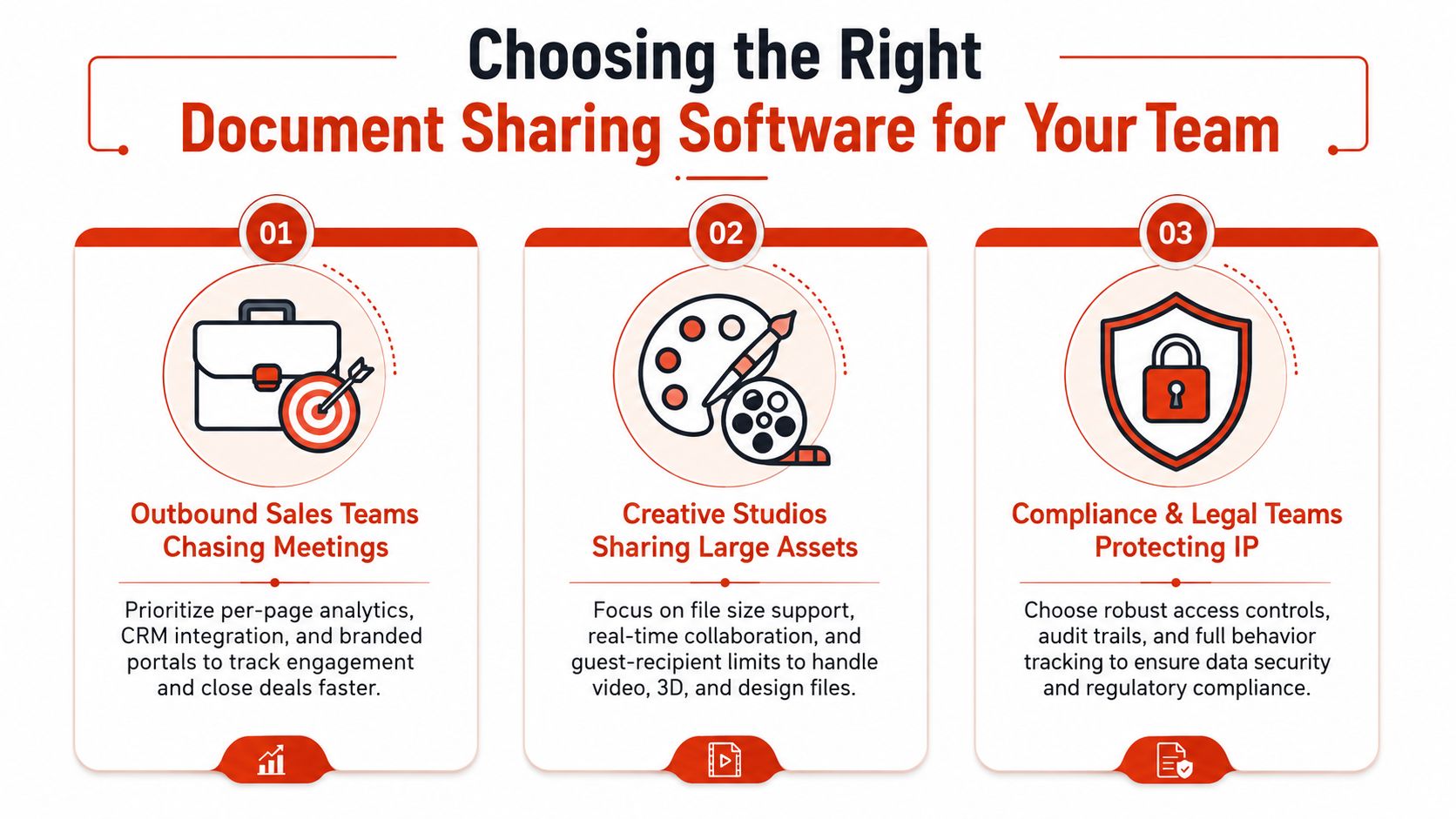
A founder sending a pitch deck needs to know whether a prospect reached the market slide, returned to the financials, or stopped before the ask. DocSend suits teams already committed to identified recipients and established sales-content workflows. EveryPage suits teams that want immediate PDF sharing, no reader account, page-by-page analytics, custom domains, lead forms, embeds, and dynamic links. Its flat per-account model also fits organisations where many people send documents without requiring separate paid seats.
The decision changes when the recipient must review rather than read. A creative studio sending proofs needs comments, annotations, photo proofing, and visual viewer modes. Filestage and Pitch deserve evaluation because presentation and approval sit at the centre of their workflows. EveryPage can suit a freelancer or studio that wants a polished browser presentation and a durable link, but it does not replace a broad creative operations system.
A regulated team has a different send. Legal and compliance staff need controlled access, auditability, and governance before they need a fast public-facing viewer. Onehub, iManage, and Digisigner belong on that shortlist. EveryPage supports password protection, watermarking, optional expiry, and privacy-conscious readership evidence, but it is not positioned as a full enterprise records-management environment. Buyers with formal regional, identity, or compliance architecture should test those requirements directly.
For internal policies and operating documents, the main question is whether readers need a shared knowledge base or measurable document readership. Notion is stronger for collaborative documentation. EveryPage is better suited to a controlled link where the sender needs evidence that people opened and read the document.
Contracts and procurement require execution rather than page-level attention data. PandaDoc fits proposals that must become signed agreements, with e-signatures, proposal workflows, and deal rooms. It is a poor match when the requirement is read-only engagement analytics.
Dropbox and Google Drive remain sensible collaboration systems, but they should not be selected for detailed reader behaviour. WeTransfer works for a creative handoff when the recipient only needs the file. Adobe Acrobat Share fits teams where PDF review, Adobe identity, and existing Adobe processes matter more than a standalone analytics layer. Choose the tool according to the next action: review, read, approve, sign, or collaborate.
Privacy, Analytics and the IP Question in Document Sharing
Reader analytics aren't automatically invasive, but the collection model matters. Page-level analytics can reveal which pages someone viewed, how long they stayed, whether they read through the document, and whether they returned. That information is operationally useful, yet it describes human behaviour and should be handled transparently.
Consent-based analytics take a stricter route. The reader opts in before engagement is recorded, which can suit privacy-sensitive organisations, EU audiences, and healthcare workflows. IP-based tracking takes the opposite approach by logging a network address and sometimes linking it with device or organisational context. That can produce richer attribution, but it creates a more difficult compliance conversation.
Privacy-first analytics measure document engagement without retaining raw IP addresses. IP-tracking approaches use network identity to add context, but may create personal-data obligations that your compliance team doesn't accept.
IP addresses are generally treated as personal data under GDPR. Even a one-way hash can remain personal data if it can be connected to an individual or other identifying information, as discussed in this GDPR analysis of storing hashed IP addresses. Buyers should ask for a plain-language data sheet rather than relying on a vague privacy promise.
Durable documents need accountable measurement
A proposal, policy, investor deck, or client report often remains useful after its first send. The sender may revise it, share it with another stakeholder, or need to prove that a recipient accessed it. That makes a permanent, replaceable link more useful than a transfer that vanishes by default.
Expiry should remain an optional control. Some secure-sharing services offer links that expire automatically and may allow sharing without registration, as described in this overview of self-destructing file sharing. That's appropriate for selected risks, not for every document.
EveryPage's approach is to provide page-level analytics without storing reader IP addresses, while allowing readers to open documents without accounts. Review its encryption and privacy documentation before deciding whether the data model fits your legal and security requirements.
Pricing Models and What to Verify in a Real Trial
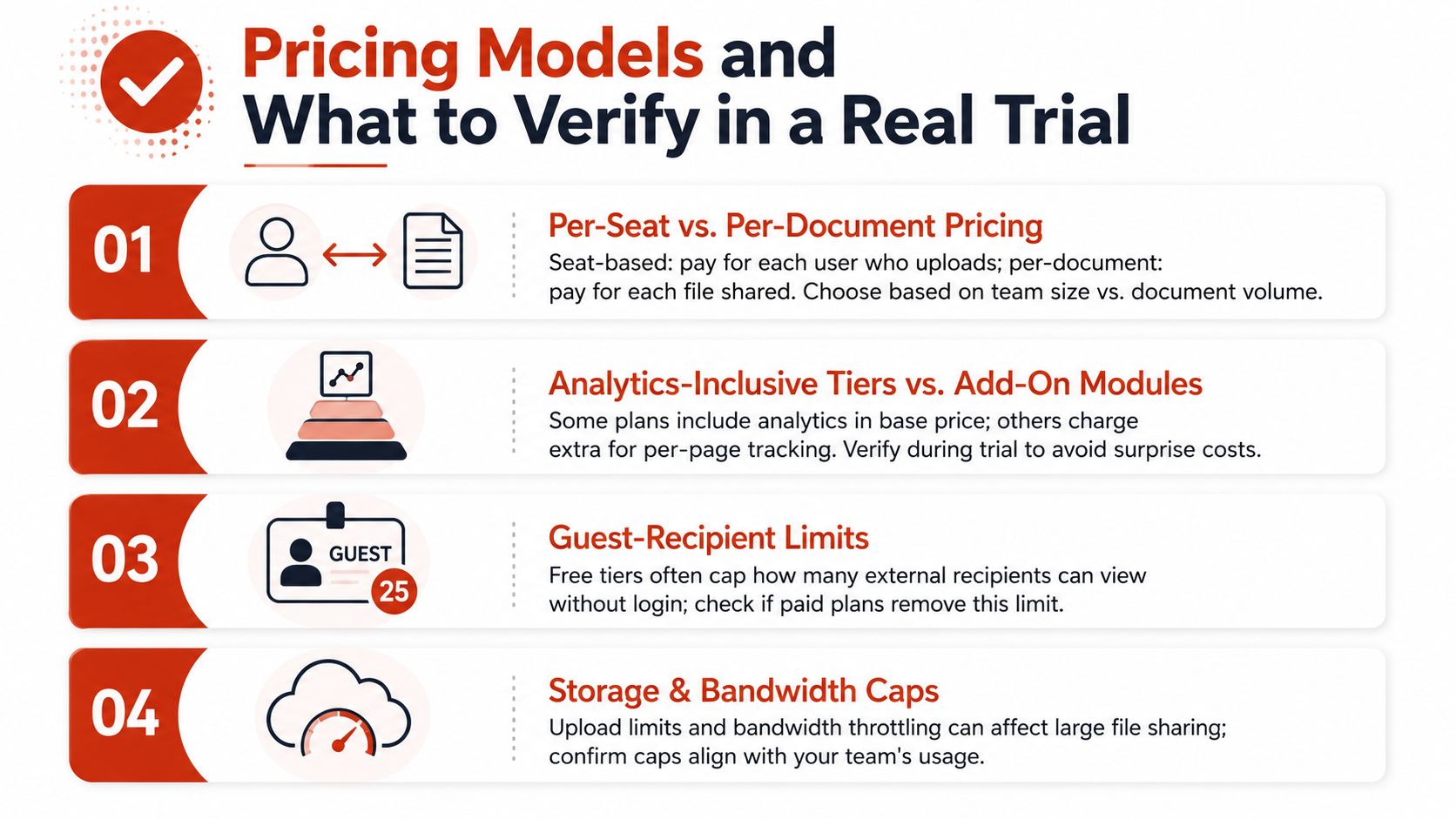
Pricing looks simple until you map it to actual sending behaviour. A small sales team with a long list of external recipients may pay differently from a large operations team where many employees share documents internally. Compare per-seat, per-document, and per-view structures against your workflow, not against a vendor's headline plan.
Per-seat pricing is predictable when the same employees send most documents. Per-document or per-view pricing can suit teams that share less frequently but distribute to many external readers. Flat per-account pricing is easier to forecast when several colleagues need to upload without creating a new paid-user calculation for each sender.
Test the workflow with a real document
Don't run a trial using a sample brochure. Upload a genuine ten-page proposal and test it with three recipients from different networks. Check the reader journey from the recipient's point of view, then inspect what the sender can see.
Use this checklist:
- Analytics: Confirm that page views, time on page, read-through, and revisits appear at the level your follow-up process needs.
- Controls: Apply a password, watermark, download restriction, and expiry, then verify each one as a reader.
- Revocation: Remove access immediately after a fictional deal loss and confirm that the old link no longer works.
- Replacement: Swap the PDF behind the existing URL and check that the link and any QR code still point to the current document.
- Lead capture: Test whether a form can collect the fields you need without forcing an account.
- Integration: Verify CSV export, webhooks, Slack, Zapier, Make, WordPress, or GA4 only if those integrations matter to your team.
Verify the plan you'll actually buy
Sales demos often show enterprise capabilities that aren't included in the intended plan. Check SSO and SCIM provisioning on the tier you would purchase, not on a tier you won't approve. Confirm storage, bandwidth, guest access, watermarking, analytics, and export limits in writing.
Ask who pays when a reader is external. Ask whether analytics are included or sold as an add-on. Ask whether a document replacement preserves its URL. These questions expose the cost and operational fit faster than a broad product tour.
Choosing the Right Document Sharing Software for Your Team
Choose by the job the document must perform after sending. A pitch deck may need to reveal which pages hold investor attention. A policy may need a durable link, proof of readership, and simple access for employees. A contract may need approvals and signatures. These are different workflows, even when each begins with a PDF.
Run a one-week evaluation with real documents and real recipients:
- Day one, define the decision. Write down who sends the document, what the sender needs to learn, and what the reader must do next. This prevents a feature tour from driving the purchase.
- Days two and three, test the reader path. Send a proposal, policy, or pitch deck to a small test group. Check access without an account, mobile viewing, page-level reading data, comments, forms, and the follow-up signal your team uses.
- Day four, test the asset lifecycle. Replace the file behind the same URL, revoke access, and apply expiry where required. Confirm that the link remains useful as the document changes, rather than treating each send as a disposable transfer.
- Days five and six, test the operating workflow. Export analytics, connect the systems your team already uses, and check whether the resulting data is usable by sales, marketing, operations, or legal without manual cleanup.
- Day seven, price the approved plan. Confirm storage, bandwidth, guest access, watermarking, analytics, exports, SSO, and SCIM on the tier you would buy. Ask who pays for external readers and whether analytics cost extra.
EveryPage handles PDF upload, browser viewing, page-level analytics, password protection, watermarking, lead capture, custom domains, QR codes, interactive hotspots, comments, photo proofing, embeds, folders, CSV export, and workflow integrations. It also supports privacy-first measurement without stored IP addresses, optional expiry, and permanent replaceable links. It will not replace PandaDoc for e-signatures, iManage for mature records management, or a full creative workspace for complex production teams.
DocSend deserves evaluation when reader engagement drives follow-up, but validate its current plan structure for your users. PandaDoc fits document completion and contract workflows, while Dropbox and Google Drive remain practical collaboration systems when page-level reader evidence is unnecessary. Their analytics gap matters once the team must know which pages a reader consumed.
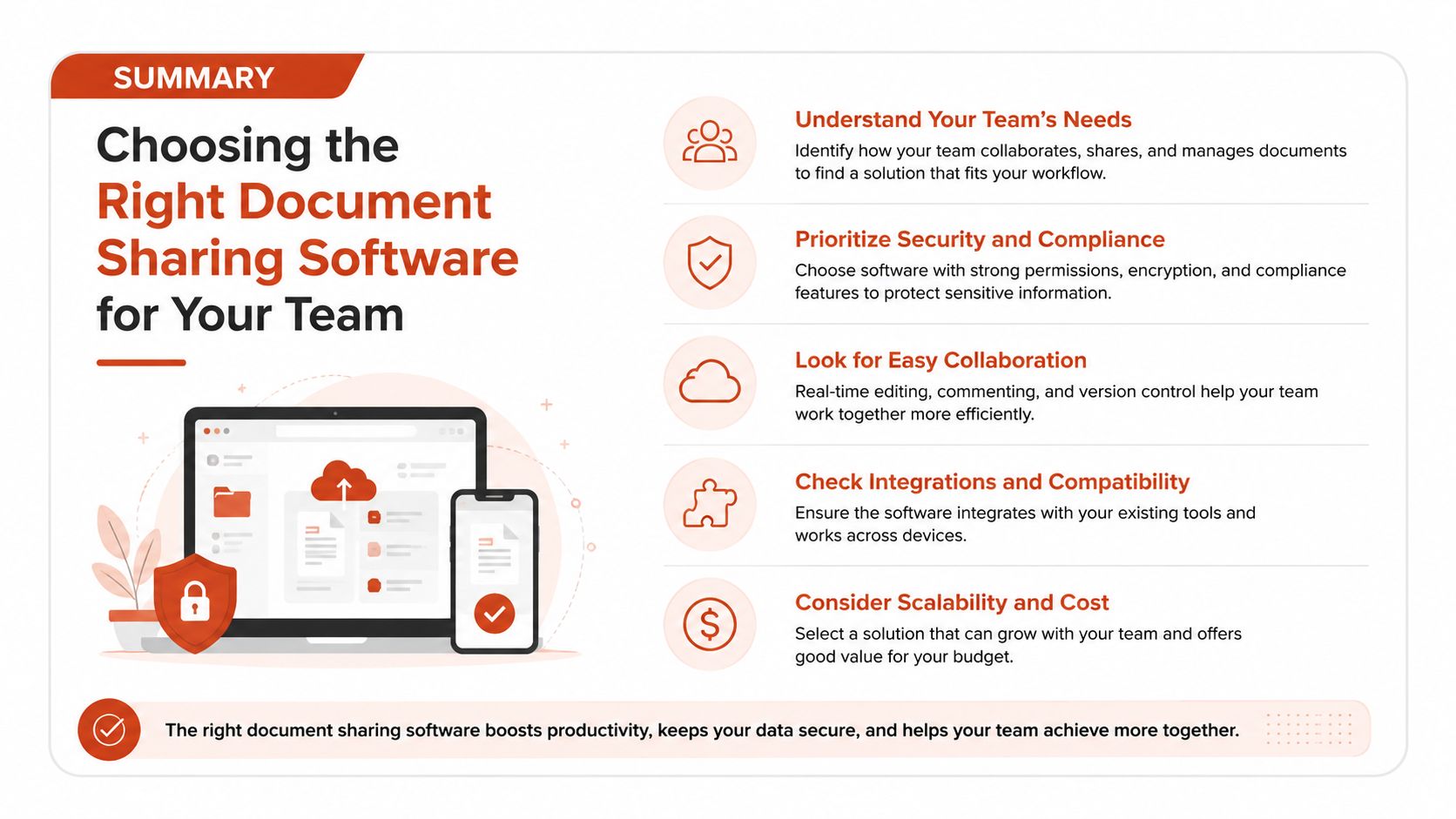
The decisive question is what you need to know about readers and what readers need to do next.
EveryPage lets you upload a PDF and create a trackable browser link immediately, with page-level analytics, privacy-first measurement without stored IP addresses, optional expiry, permanent replaceable links, and no account required for readers. Visit EveryPage to test document sharing around a real proposal, policy, pitch deck, or client deliverable.
See who reads your next PDF.
Try EveryPage free