Document Security Software: A Buyer's Comparison Guide
Nick · Published 30 August 2026
A founder emails a pitch deck to an investor, a freelancer sends a proposal to a prospect, or a photographer shares client proofs. The PDF leaves the inbox, gets forwarded, downloaded, copied into a shared drive, or screenshotted into a Slack conversation. At that point, the sender often loses visibility and control.
That's the operational problem document security software should solve. It should help you control access, understand readership, protect sensitive pages, and change permissions after sharing. Encryption matters, but it's only one part of the decision. The more useful question is simple: what control remains after the document leaves your inbox?
| Tool or approach | Best fit | Main strength | Honest limitation |
|---|---|---|---|
| DocSend | Sales-led and enterprise teams | Pitch-deck sharing, viewer permissions, and engagement tracking | Per-user pricing can become harder to manage as teams grow |
| PandaDoc | Contract and procurement workflows | E-signatures, templates, and document workflows | Heavier than needed for simple PDF sharing |
| EveryPage | Founders, freelancers, and lightweight PDF distribution | Flat account pricing, page-level analytics, privacy-conscious tracking, and no reader account | It isn't a full e-signature or enterprise contract-management platform |
| Password-protected PDF | Basic file locking | Quick access restriction | A recipient can still forward the file and the password |
| Secure document link | Controlled online sharing | Server-side access, analytics, expiry, and revocation | Protection weakens if recipients download or capture the content |
Table of Contents
- Why Document Security Matters Once a PDF Leaves Your Inbox
- The Six Controls That Actually Define Document Security Software
- Matching Controls to Real Sharing Scenarios
- Comparing DocSend, PandaDoc, and EveryPage by Use Case
- Pricing Models and What They Cost at Team Scale
- Reader Privacy and GDPR-Friendly Analytics
- A Short Checklist for Choosing the Right Tool
Why Document Security Matters Once a PDF Leaves Your Inbox
A password-protected PDF feels secure because the recipient has to enter a password. The problem is that the recipient can forward both the file and the password. The PDF then travels outside your view, while the original sender has no reliable way to revoke access, identify readers, or see which pages mattered.
A document-security link works differently. The file stays in a browser-based viewer, and access rules live on the service rather than inside a static attachment. That gives the sender a place to manage permissions, apply expiry, add watermarks, and review activity while the document is being opened.
Start with the risk, not the feature list
For a founder, the risk may be a pitch deck containing financial assumptions or an unannounced product direction. For a freelancer, it may be a proposal with pricing, process details, and original thinking that a prospect forwards to another supplier. For a photographer, it may be high-resolution proofs copied before the client has selected the final images.
These aren't abstract compliance problems. They're ordinary distribution failures:
- Uncontrolled forwarding: A recipient sends the same PDF to people you didn't approve.
- Unclear readership: You don't know whether the recipient opened the document or only saw the email.
- No attribution: A screenshot or copied page appears elsewhere without identifying information.
- No meaningful withdrawal: You can ask someone to delete the file, but you can't enforce that request.
Practical rule: If the document is commercially sensitive, treat the share link as part of the document, not as a disposable delivery mechanism.
What the PDF format can and can't do
PDF protection has improved over time. Adobe released the first PDF specification in 1993 without built-in protection, added password protection in 1996, introduced digital signatures and 40-bit RC4 encryption in 1999, moved to 128-bit RC4 in 2001, and added 128-bit AES encryption in Acrobat 7.0 and Reader 7.0 in 2005. By 2017, PDF 2.0 defined 256-bit AES encryption as the standard, according to this document security market history.
That progress doesn't make PDF permission flags a complete security boundary. A Carnegie Mellon analysis explains that PDF viewers must interpret the creator's password and permission settings, while a later test across 27 widely used PDF applications found 23, or 85%, vulnerable to direct exfiltration attacks, and all 27 vulnerable to CBC gadgets in the cited PDF security analysis.
The practical conclusion is clear. Use encryption and passwords, but combine them with access control, watermarking, revocation, and monitoring. Security has to follow the document while it's being viewed, not stop at the moment the PDF is generated.
The Six Controls That Actually Define Document Security Software
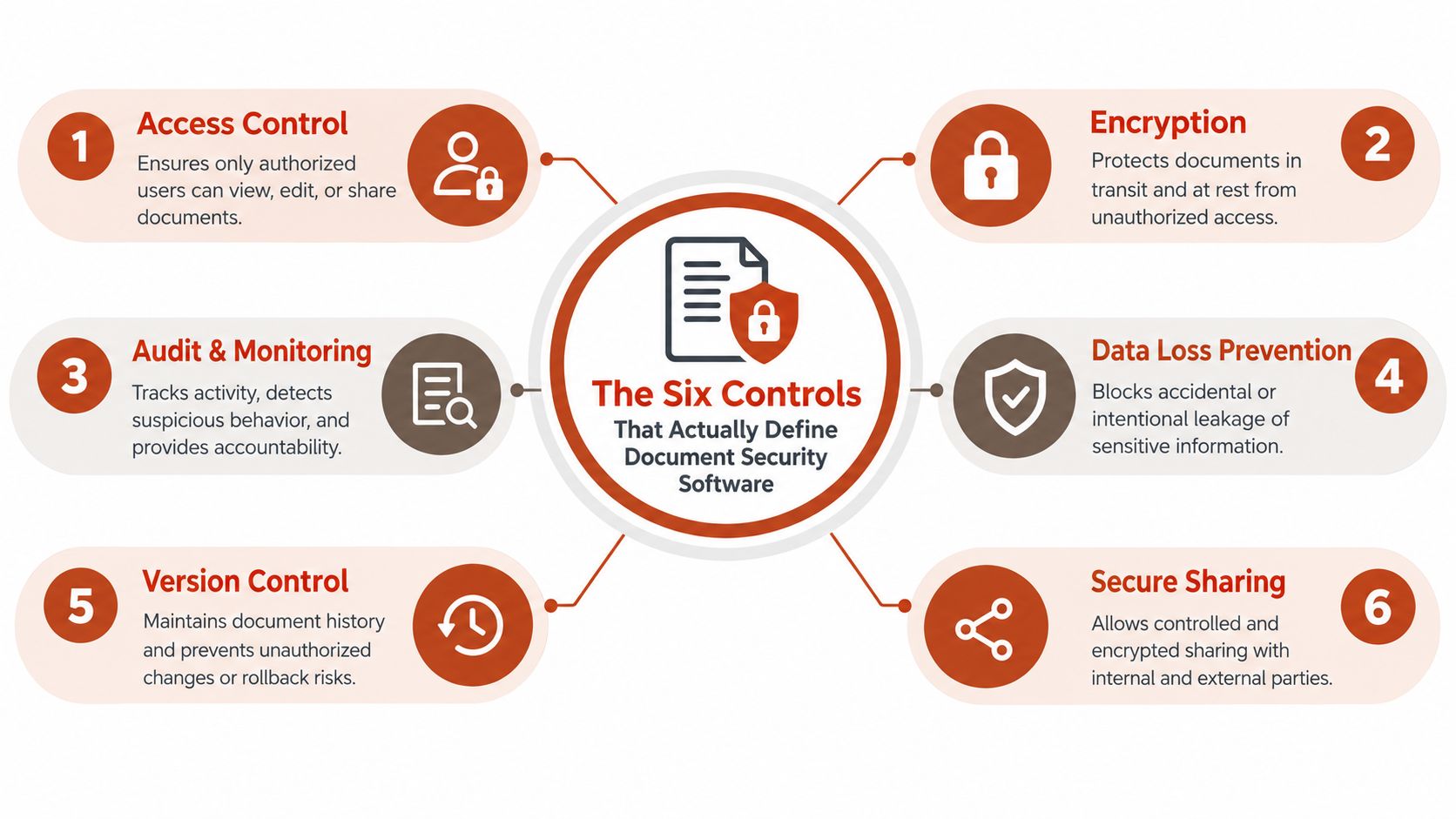
Most vendors describe their products with overlapping security language. Buyers need a sharper vocabulary. The six controls below separate basic file locking from a system designed to manage documents after distribution.
Encryption and access control
Encryption at rest and in transit protects the stored file and the connection used to deliver it. Look for a vendor that clearly documents its approach, such as AES-256 for stored content and TLS for transport. Encryption is essential, but it doesn't tell you who may open the document or what happens after an approved reader sees it.
Access control determines who can reach the document. Useful options include passcodes, email allowlists, domain restrictions, lead-capture gates, and single sign-on for larger organisations. Access control works while the document remains behind the provider's viewer. It can't control a copy that a recipient has already downloaded.
Watermarking and expiry
Dynamic watermarking adds viewer-specific information to the page, such as an email address, company domain, or other approved identifier. It creates accountability and can discourage casual redistribution. It doesn't prevent a determined screenshot, but it can make unattributed sharing harder.
Expiry and viewing limits let the sender withdraw access after a date or a defined number of views. These controls are useful for an investor process, a proposal under review, or a proofing round. They work on the hosted link. They don't reach into a downloaded copy.
Audit trails and privacy
Audit logs show what happened during the reading session. Depending on the tool, that may include opens, downloads, time on page, read-through, revisits, and permission changes. The useful audit trail is the one that supports a decision, such as whether to follow up, which section needs explanation, or whether access should be revoked.
Reader privacy asks what the vendor records about the person opening the document. IP addresses can qualify as personal data when they can be linked to an individual, and the European Data Protection Board's guidance on online identifiers supports treating them accordingly under GDPR.
Use EveryPage's security documentation as a practical checklist when questioning vendors. Ask which controls remain active after download. In most cases, encryption and viewer permissions protect the hosted document, while watermarking, audit records, and revocation lose force once someone has an unrestricted local copy.
Matching Controls to Real Sharing Scenarios
The correct security mix depends on the document and the likely behaviour of its recipients. A founder sharing a pitch deck has a different problem from a photographer collecting proofing feedback, even though both may send a PDF link.
A founder sending a pitch deck
The founder's priorities are identity, attribution, and timing. An email allowlist can restrict the deck to approved investors, while an expiry date can close access after the fundraising decision point. A viewer-specific watermark should identify the recipient on every page, especially around financials, forecasts, and product plans.
Encryption and audit logs remain baseline controls. The founder needs to know whether an investor opened the deck, reached the financial section, or returned later. The reader shouldn't need to create an account just to review the material, because unnecessary friction can reduce legitimate engagement.
A freelancer sending a proposal
A proposal often travels inside a prospect's organisation. The freelancer can't assume that every internal reviewer will be named in advance, so a passcode and domain-based control may be more practical than a strict individual allowlist.
Watermarking with the prospect's company identity helps preserve attribution when the document is forwarded. A view-count limit can also restrict repeated resharing, while page-level analytics reveal whether the prospect focused on scope, pricing, or delivery terms.
A photographer sharing proofs
Proofing requires a different balance. The photographer may want clients to view and comment, but not download, print, or copy the work before selection. Expiry after the relevant project window can remove access without requiring a manual clean-up exercise.
Per-image or page-level activity is useful because the photographer needs feedback on individual proofs, not just confirmation that the gallery opened. Encryption matters for the underlying storage, while viewer controls, watermarks, comments, annotations, and download restrictions do more of the day-to-day protection work.
| Control | Founder pitch deck | Freelancer proposal | Photographer proofing |
|---|---|---|---|
| Encryption | Protects stored and transmitted material | Protects commercial terms and attachments | Protects the stored proofing file |
| Access control | Email allowlists or a controlled passcode | Domain restrictions and passcode access | Client-specific access and no public exposure |
| Dynamic watermarking | Recipient identity on sensitive pages | Prospect company or viewer identity | Client identity on proofs |
| Expiry | Close access after the fundraising process | Limit repeated resharing | Remove access after the review period |
| Audit trail | Opens, page depth, revisits, and downloads | Identify interest in scope and pricing | See which images were reviewed |
| Reader privacy | Avoid unnecessary personal telemetry | Preserve trust with prospects | Reduce exposure of client identifiers |
No single control solves every scenario. Choose the controls that address the most likely failure, then test the reader experience before sending real material.
Comparing DocSend, PandaDoc, and EveryPage by Use Case
These products overlap around document sharing, but they're built for different operating models. EveryPage is our product, and it fits lightweight PDF distribution rather than every document workflow a larger business may need.
| Control or capability | DocSend | PandaDoc | EveryPage |
|---|---|---|---|
| Core use case | Sales content, pitch decks, and controlled sharing | Contracts, proposals, templates, and signatures | Browser-based PDF sharing and readership analytics |
| Viewer experience | Designed for tracked document sharing | Designed around business document workflows | Standard, flipbook, swipe, and magazine modes |
| Analytics | Strong fit for sales engagement and viewer permissions | Useful within broader document workflows | Page views, time on page, read-through funnel, and re-read rate |
| Access controls | Suitable for controlled sales sharing | Access controls within contract workflows | Passwords, email gates, domain controls, and blocking for print, copy, and right-click |
| Watermarking and expiry | Suitable for managed sharing | Depends on workflow and configuration | Optional expiry, self-destructing view budgets, and per-viewer watermarking |
| Reader account | Varies by workflow | Varies by workflow | Readers need no account |
| E-signatures | Not its primary role | Core strength | Not built in |
| Pricing model | Per user | Per user, with a free tier and usage limits | Flat per account, Free, Basic at $9 per month, and Pro at $29 per month |
| Honest limitation | Can be more than a small team needs | Heavier than simple PDF distribution | No built-in e-signature pipeline, fewer CRM integrations, and a smaller template ecosystem |
DocSend is the better fit for an enterprise compliance or sales team that needs structured pitch-deck distribution, detailed viewer permissions, and a sales-led operating rhythm. Its published pricing is per user: Personal costs $10 per user per month on annual billing or $15 monthly, Standard costs $45 annually or $65 monthly per user, while Advanced is $150 per month and Advanced Data Rooms are $180 per month, both including three users, as shown on DocSend's pricing page.
PandaDoc makes more sense when the document must move through approval, signature, and contracting stages. Independent PandaDoc pricing coverage lists Starter at $19 per user per month annually or $35 monthly, Business at $49 annually or $65 monthly per user, plus a free tier with usage limits. Its e-signature and template capabilities justify the heavier footprint for legal and procurement teams.
EveryPage suits a founder, consultant, or freelancer who needs a secure, trackable PDF link without requiring the recipient to register. It supports Word-to-PDF conversion, DocSend import, custom domains, QR codes, dynamic links with file replacement, embeds, folders, CSV export, and integrations including Zapier, Make, Slack, WordPress, webhooks, and GA4. Its limitation is important: it isn't a contract-management suite, and teams needing signatures or extensive CRM workflow automation should choose PandaDoc or DocSend where those requirements fit. See the DocSend, PandaDoc, and EveryPage comparison before committing.
Pricing Models and What They Cost at Team Scale
Pricing changes the operational decision. A per-seat tool charges for the people who need accounts, while a flat per-account product charges for the workspace regardless of how many colleagues help distribute or review links.
DocSend's published structure is explicitly per user. Its Personal and Standard tiers scale with user count, and its higher Advanced tiers include three users at the stated monthly price. That makes sense when each sales representative needs deep permissions, ownership, and workflow access. It becomes less attractive when a team has many occasional contributors who only need to forward a secure link.
PandaDoc also uses per-user pricing. Its free tier has usage limits, while the paid Starter and Business tiers charge per user under annual or monthly billing, as documented in the PandaDoc pricing guide. That model is easier to justify when every account holder creates documents, manages approvals, or sends signature requests.
EveryPage uses flat per-account pricing, with Free, Basic at $9 per month, and Pro at $29 per month, without per-user fees. Adding a freelancer, advisor, or occasional reviewer doesn't create another seat charge. Sharing also doesn't require an account, so recipients aren't turned into paid users because they need to read a document.
| Plan tier | Pricing model | Typical cost | Best fit team size |
|---|---|---|---|
| DocSend Personal | Per user | $10 per user per month annually, or $15 monthly | Individual sales users |
| DocSend Standard | Per user | $45 per user per month annually, or $65 monthly | Sales teams needing broader sharing |
| DocSend Advanced | Included-user tier | $150 per month, three included users | Teams needing advanced controls |
| DocSend Advanced Data Rooms | Included-user tier | $180 per month, three included users | Structured data-room use |
| PandaDoc Starter | Per user | $19 per user per month annually, or $35 monthly | Small document workflow teams |
| PandaDoc Business | Per user | $49 per user per month annually, or $65 monthly | Teams using signatures and templates |
| EveryPage Free | Flat per account | Free | Individual testing and light use |
| EveryPage Basic | Flat per account | $9 per month | Founders and freelancers |
| EveryPage Pro | Flat per account | $29 per month | Small teams sharing tracked PDFs |
Don't compare only the headline price. Ask whether you're paying for people who need workflow rights or people who merely need to view and share documents. Per-seat pricing fits permission-heavy teams; flat pricing fits broad distribution with a small number of administrators.
Reader Privacy and GDPR-Friendly Analytics
More tracking isn't automatically better security. A dashboard that stores IP addresses, device details, persistent identifiers, and cross-session activity may give a sales team more context, but it also creates more personal-data obligations.
The European Data Protection Board's position on online identifiers states that IP addresses can qualify as personal data when they can be linked to an individual. That makes reader telemetry a governance decision, not just a product feature. A founder sending a deck to investors, or an HR team circulating a policy, should know exactly what the vendor retains and why.
Measure engagement without building a surveillance trail
Page-level analytics can answer practical questions without identifying a reader through a persistent network address. You may need to know whether the pricing page was read, whether the recipient returned to the proposal, or where a policy reader stopped. You don't necessarily need their IP address stored indefinitely.
EveryPage takes a privacy-first approach by not storing reader IP addresses. Reader identities use pseudonymous labels, and the service can show page views, time on page, read-through funnels, and re-read behaviour without requiring readers to create accounts. This is a sensible model for external sharing because the reader gets a low-friction experience while the sender receives useful engagement evidence.
Questions to put to the vendor
Ask for direct answers rather than accepting a general “GDPR-compliant” label:
- Data collection: Does the platform store IP addresses, device fingerprints, email addresses, or persistent cookies?
- Retention: How long do viewing records remain available, and can administrators delete them?
- Purpose: Is reader data used for product analytics, advertising, model training, or anything beyond document reporting?
- Reader rights: Can a reader request deletion of their viewing record?
- Processing terms: Will the vendor provide a data processing agreement and explain where data is processed?
The GDPR-friendly PDF tracking guide provides a useful way to frame this trade-off. Privacy-first analytics shouldn't mean blind distribution. It means collecting the evidence needed for a business decision while avoiding personal data that the workflow doesn't require.
A Short Checklist for Choosing the Right Tool
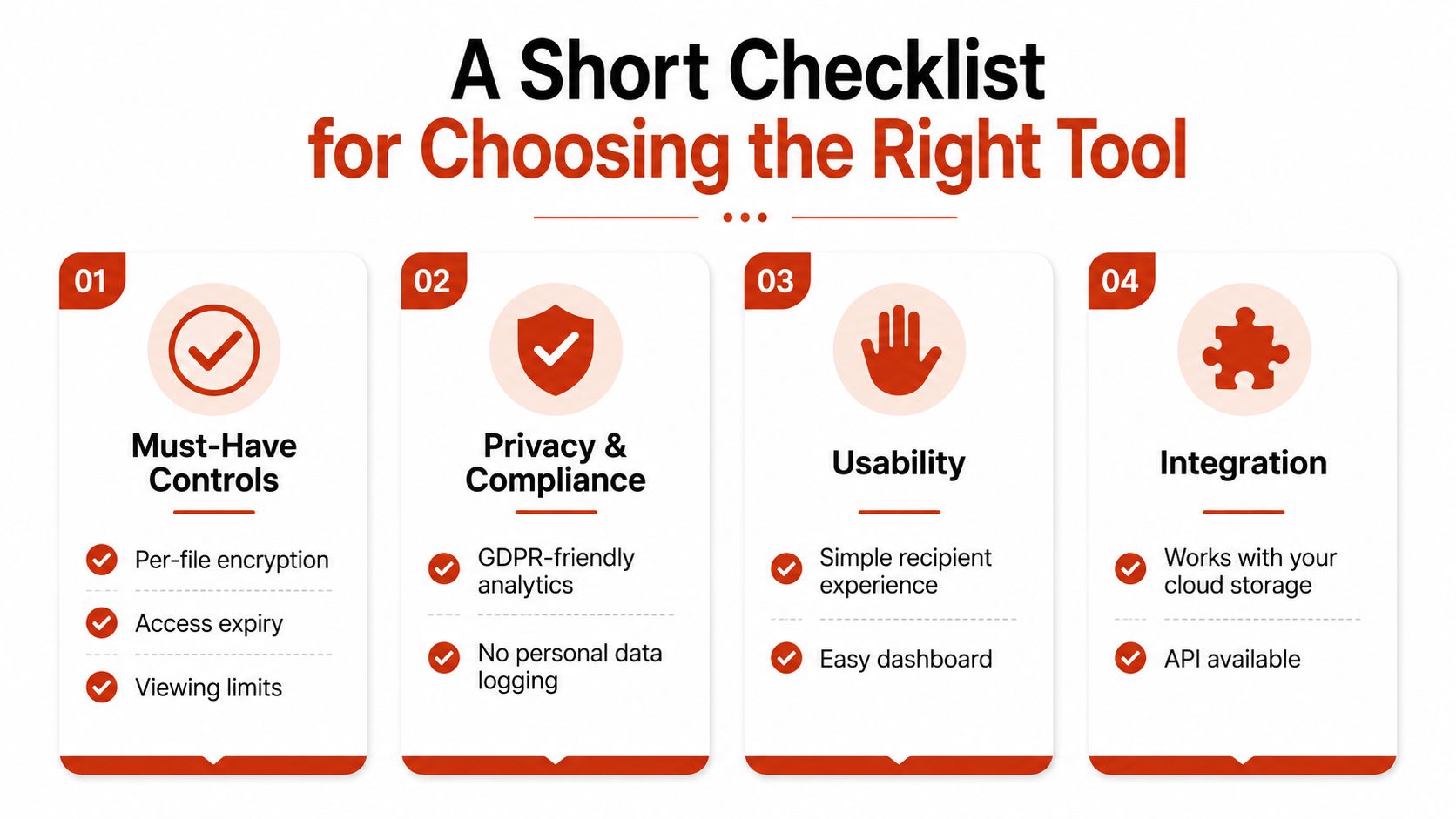
Use this checklist before you buy, and send the questions to each vendor in the same form. The answers will expose whether you're comparing genuine document security software or a basic PDF password utility with a polished dashboard.
Must-have controls
Start with the controls that protect the highest-risk sharing scenario:
- Per-file encryption: Is each document encrypted at rest and during delivery, and which cryptographic standard does the provider use?
- Access control: Can you use passwords, email allowlists, domain restrictions, or identity-based access?
- Revocation and expiry: Can you revoke a link immediately, set a date, or limit views?
- Watermarking: Can the system apply a viewer-specific watermark to pages and downloaded copies?
- Audit trail: Does it record opens, page activity, downloads, and permission changes in a usable format?
Nice-to-have controls
These features improve operations when the core controls already work:
- Page-level analytics: Can you see time on page, read-through, revisits, and re-read activity?
- Feedback workflows: Can readers comment, annotate, select images, or submit proofing feedback inside the document?
- Distribution tools: Does it support custom domains, QR codes, embeds, dynamic links, folders, and CSV export?
- Integrations: Can it connect to Zapier, Make, Slack, WordPress, webhooks, or GA4 where your team already works?
Pricing questions
Clarify the commercial model before you import documents or invite colleagues:
- Account or seat: Is pricing flat per account, or does every administrator and contributor need a paid user?
- Growth costs: What happens when more people create links, manage folders, or need analytics access?
- Billing terms: Are annual discounts, monthly prices, usage limits, overages, or included viewer allowances involved?
A flat account can be the cleaner choice when only one person manages sharing and several others occasionally review activity. Per-seat licensing can be sensible when every user needs their own permissions and workflow ownership.
Privacy questions
Finally, ask what happens to reader data:
- Network identifiers: Are IP addresses stored, discarded, or converted into a pseudonymous value?
- Retention and deletion: Can you set retention periods and remove a reader's record?
- Compliance evidence: Is a DPA available, where is data processed, and can the vendor explain its GDPR position?
- Reader experience: Do recipients need an account, app, or persistent login to open the document?
Choose the tool whose controls match your most dangerous sharing scenario, not the one with the longest feature page. Then check whether its pricing remains workable as collaborators join and whether its privacy model can survive a straightforward question from a client, employee, or regulator.
EveryPage offers browser-based PDF sharing with password protection, optional expiry, watermarking, no-account access for readers, and page-level analytics without storing reader IP addresses. If that matches your need for durable, trackable documents with flat account pricing, visit EveryPage and create a secure document link.
See who reads your next PDF.
Try EveryPage free