QR Code for Access Control: How It Works in Practice
Nick · Published 17 August 2026
You're standing at reception with a visitor waiting beside you. They've received a QR code by email, held it under the scanner, and the door still hasn't opened. The natural reaction is to blame the printed image or the phone camera. In a properly designed system, though, the image is only the visible part of a much larger decision.
A QR code for access control usually acts as a pointer to a server-side check. The scanner reads a token, the issuing service verifies it, and the door, gate, turnstile, or document viewer responds to the result. That distinction matters because a QR image can be copied, photographed, forwarded, or replaced. Security comes from how the system validates the scan, not from how unusual the pattern looks.
Table of Contents
- Where QR Codes Sit in Everyday Access
- How a QR Code Becomes an Access Decision
- Static Codes vs Dynamic Codes at the Door
- The Phishing Problem Hiding Inside the Code
- How QR Codes Compare With Other Credentials
- Using QR Codes to Control Access to Documents
- A Practical Checklist Before You Roll Out QR Access
Where QR Codes Sit in Everyday Access
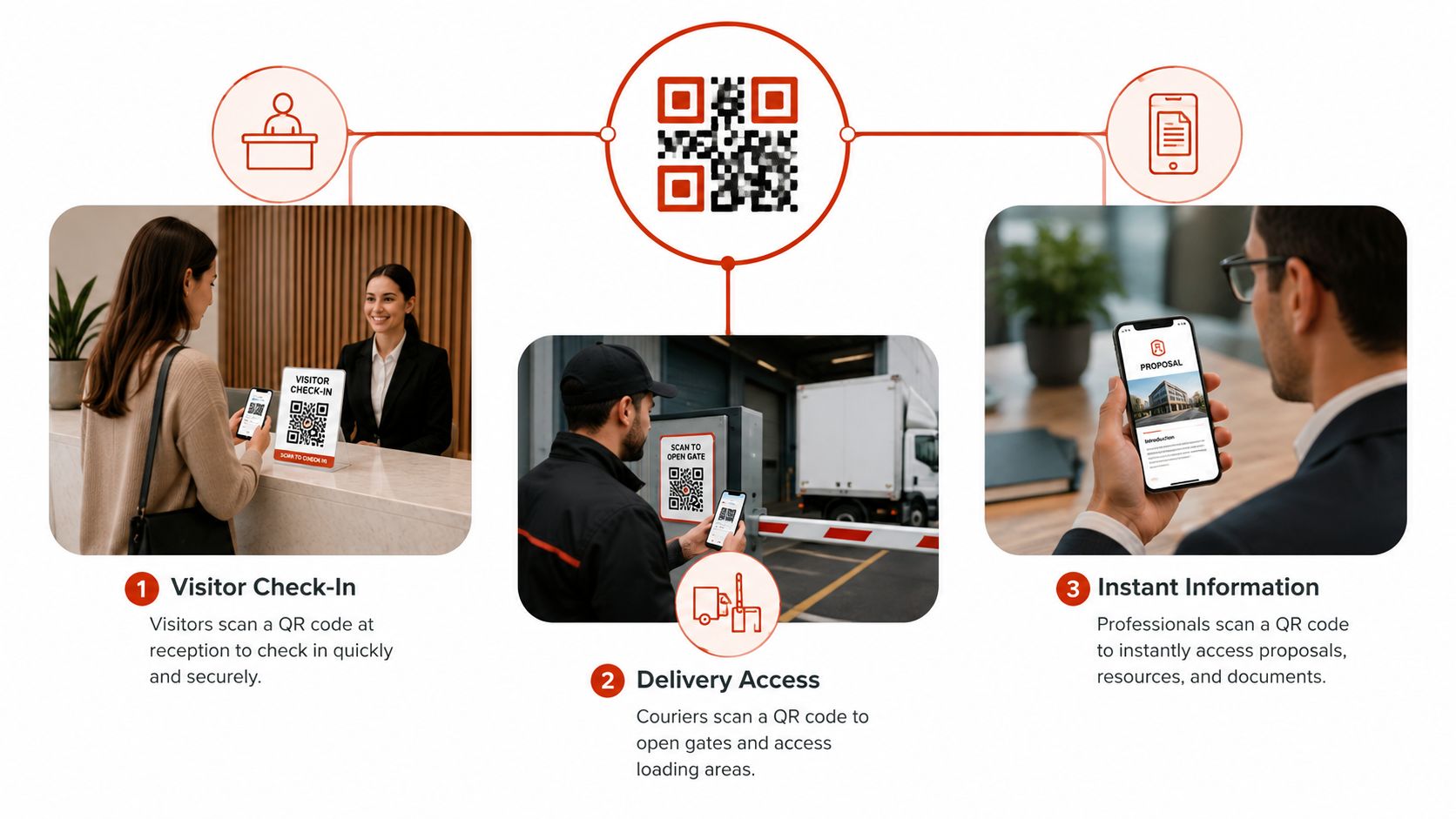
A visitor checks in at reception by scanning a code on a tablet. A courier scans another at a loading bay, and a hosted delivery instruction opens on their phone. At a trade stand, a prospective client scans a code printed beside a proposal and reaches the latest version without typing a web address.
These experiences look different, but the underlying pattern is similar. The QR image contains information that sends the phone or scanner towards a service. That service can then decide what the person may see or do. At a building entrance, the result may be an opened turnstile. For a document, it may be permission to open a PDF, a password prompt, a lead form, or a tracked viewing session.
Why the image isn't the credential
A static image doesn't know who is holding it. It doesn't know whether the person is authorised, whether their visit has ended, or whether the same code was used minutes earlier. Those questions belong to the access service behind the scan.
QR technology was invented by Denso Wave in Japan in 1994. Japan remains an important market for QR-based access and payment workflows, with reporting recording 9.36 billion QR code transactions in 2023 and monthly active QR payment users rising from 23.1 million in 2020 to 82.7 million in September 2024. The figures come from the global QR adoption report, and their relevance to access control is practical. People already understand scanning as an everyday interaction, so organisations don't need to teach the basic gesture before introducing a QR entry flow.
Global behaviour has also moved beyond specialist deployments. The same reporting estimates that 44.6% of internet users aged 16 to 64 scanned at least one QR code monthly in 2026, making QR scanning a familiar interaction pattern rather than a novelty. That familiarity helps at busy venues and reception desks, but it can also make people trust a code too quickly. A familiar interface still needs a trustworthy destination and a properly governed backend.
Practical rule: Treat the QR as the front door to an access decision, not as proof that access should be granted.
How a QR Code Becomes an Access Decision
Think of a QR access system as a ticketing operation.
The visitor's phone or badge displays the ticket. The scanner reads it. The server acts like the validator at the box office, checking whether the ticket is genuine, intended for this place, valid at this time, and still unused where single-use access applies.
The request from image to server
A typical flow looks like this:
-
The issuer creates a token. The system associates it with a user, visitor, role, document, or session. The QR image encodes that token, often inside a URL.
-
The scanner reads the code. A door reader or phone camera extracts the URL or token. It doesn't make the full authorisation decision from the visual pattern.
-
The request reaches the issuing service. A dynamic QR code generally points to a redirect URL owned by the provider. The service receives the request and looks up the token in its database.
-
The backend checks the rules. It can test identity, permissions, expiry, session state, and whether the token has already been used. Systems described in academic implementations compare a scanned user identifier with a registered database and record a timestamp at the door controller. This provides the basis for revocation and auditability, as described in the academic implementation of secure QR access control.
-
The control point acts on the result. A valid response may open a door or open a document. An invalid, expired, revoked, or replayed token should produce a denial and an audit event.
The same sequence applies to a hosted PDF. The browser follows the document link, the service checks the request, and the viewer returns the permitted content. The physical door and the digital document differ in hardware, but both rely on a central decision rather than the image itself.
Why the round trip matters
The security property lives in the backend check. A static QR image copied from a visitor badge remains a static image, so the system must determine whether the associated token is still valid each time someone presents it.
Published QR access systems describe dynamic generation, real-time database verification, and automatic entry records. They also highlight the operational balance between a short validity window and a usable scanning experience. The published QR access-control system research describes centralised logging, role-based permissions, encrypted storage, and time-bound tokens as parts of that balance.
Encryption can protect the payload, but encryption alone doesn't decide whether a person should enter. A design combines protected data with server-side authorisation, expiry, revocation, and logging.
Static Codes vs Dynamic Codes at the Door
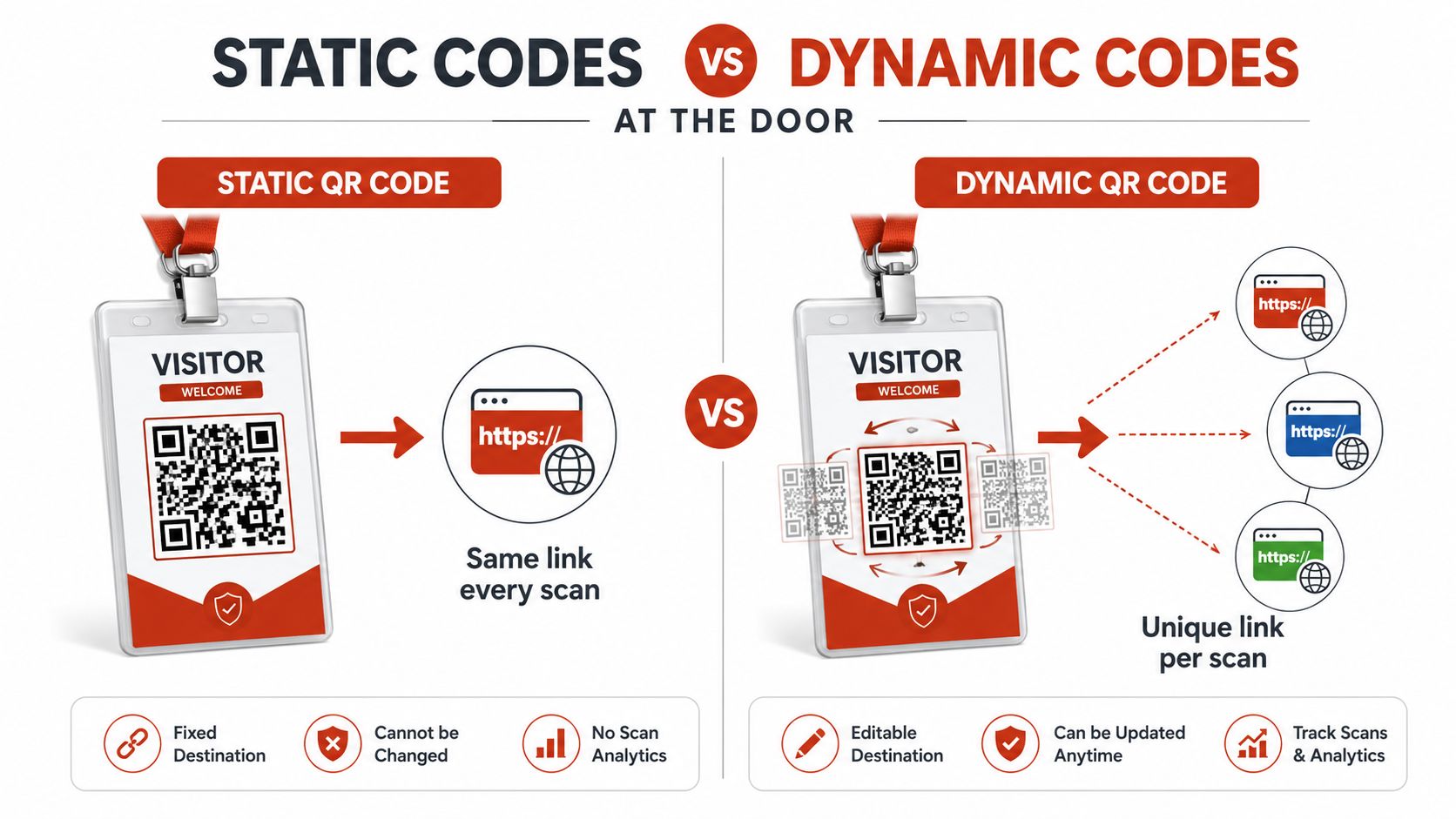
A printed QR code on a visitor badge is static. Every scan reaches the same destination or presents the same underlying token. A rotating code on a visitor's phone is dynamic. The system can issue a session-specific or single-use token and reject it after its allowed window.
The printed badge problem
Suppose reception prints a QR badge for a contractor and the badge points to an unchanging access URL. The contractor photographs it and sends the image to someone else. Unless the server checks identity, time, location rules, or usage state, the second person may present the same image successfully.
That doesn't mean static codes have no place. A public information poster, a permanent building directory, or a document link that the owner expects to update can quite reasonably remain stable. The risk appears when a permanent image is treated as a personal credential.
For document sharing, a stable QR can be useful because the printed material can remain in circulation while the file behind it changes. EveryPage's dynamic QR PDF links follow that pattern, preserving the link while allowing the linked file to be replaced. The important distinction is that a durable document URL isn't the same thing as a permanently authorised door pass.
The rotating code trade-off
A dynamic code can reduce replay risk because the server can associate it with a short session, a particular user, or a single scan. It can also be revoked without recalling every copy that was issued. Academic work describes encrypted QR payloads combined with timestamps or hashed tokens, allowing the scanner or server to reject tampered and replayed values.
Short validity windows create friction, particularly at a crowded entrance. A visitor may have a flat phone battery, weak mobile reception, a screen brightness problem, or a code that expires while they wait in a queue. A good deployment needs a process for those exceptions rather than assuming every scan will be perfect.
| Pattern | Practical use | Main security question |
|---|---|---|
| Static QR | Permanent information or durable document link | What prevents an unchanging link from being reused in the wrong context? |
| Dynamic QR | Visitor entry, temporary access, sensitive workflows | How quickly can the service validate, revoke, and recover from failure? |
| Single-use QR | One-off entry or controlled handover | What happens if the legitimate user loses the first scan? |
Use dynamic, server-validated credentials for sensitive entry. Use stable codes for durable information only when the destination applies its own access controls.
The Phishing Problem Hiding Inside the Code
You arrive at a reception desk and scan the code on a visitor notice. The page looks familiar, but the address belongs to a different domain. The reader has not been attacked. The code has directed you to the wrong place.
A QR code can lead to a genuine access service or a phishing page, so QR phishing belongs in access-control planning, not only email security. Kaspersky reported phishing emails containing QR codes rising from 46,969 in August 2025 to 249,723 in November 2025, as detailed in its report on QR-code phishing attacks. Microsoft separately reported QR-code phishing threats rising from 7.6 million in January 2026 to 18.7 million by March 2026, a 146% increase, in its traffic safety report.
An attacker may cover a genuine poster with a lookalike code, send a fake visitor invitation, or add a malicious code to a message that appears to come from reception. The recipient scans because the action seems routine. The resulting page may request credentials or send the user somewhere else.
Three habits for safer scanning
-
Check the destination before continuing. Phone cameras and scanning apps may show the URL before opening it. Look for the expected organisation or document service. Stop if the domain is misspelled or unrelated.
-
Treat unexpected QR messages as untrusted. A code in an unsolicited email, chat, or parcel notice needs the same caution as a suspicious attachment. Confirm the request through a known channel, rather than replying through the message that supplied it.
-
Prefer credentials that expire. A stolen image is less useful when the server applies a short validity period, single-use rule, or rapid revocation process. These controls do not prevent phishing, but they can limit how long a copied access token remains usable.
A friendly-looking code is still an untrusted instruction until the destination and authorisation path are known.
Administrators must protect the physical presentation as well. Put codes where tampering is visible, inspect public signs, and print the expected domain beside the code. For document links, tell recipients what should appear after scanning, such as a named PDF viewer rather than an unexpected login form. That small detail gives users a practical reference point when the page does not match the intended access journey.
How QR Codes Compare With Other Credentials
QR codes fit best where an organisation needs quick, temporary, or mixed-audience access. They aren't automatically a replacement for every badge, mobile credential, or biometric system.
The deciding factors are operational. Can the system validate centrally? Can administrators revoke a code? What happens when a visitor has no working phone, or when the network is unavailable? Will the audit record identify a meaningful user, or only show that an image was scanned?
Credential options at a glance
| Credential | Cost to issue | Audit trail | Offline behaviour | Best fit |
|---|---|---|---|---|
| QR code | Low for temporary users, with little physical distribution | Strong when each token and scan is logged | Usually dependent on a live validation path | Visitors, events, deliveries, temporary access |
| Physical badge | Hardware and replacement work may be required | Strong when tied to an individual badge record | Can work locally, depending on the access system | Regular staff and controlled premises |
| Mobile-app credential | Requires a supported phone and app or wallet flow | Strong when linked to an account and device | Depends on cached credentials and controller design | Employees and repeat users |
| Biometric credential | Higher deployment and privacy-management burden | Can be detailed, subject to system design | Depends on the reader and local controller | High-assurance areas with stable user populations |
A QR credential can be issued quickly to a visitor who doesn't belong in the organisation's long-term identity directory. It can also support a clear expiry and audit record without printing a badge. The trade-off is phone dependency and the need for network access if the server makes the decision in real time.
Physical badges remain useful for employees who enter repeatedly, particularly where local controllers need to continue operating during an outage. Biometrics avoid the problem of carrying a credential, but they introduce more sensitive data and greater deployment complexity. Mobile app credentials can provide a smoother repeat-user experience, though they still depend on a functioning device and a managed account.
For high-volume environments, QR access should be designed as a low-latency, centralised authentication path, not as a standalone offline gate. The system needs a documented fallback, such as staffed verification or an alternative credential, for network failures and phone problems.
Using QR Codes to Control Access to Documents
A hosted PDF can behave like a controlled entry point. A QR code on a printed handout, proposal cover, email signature, or exhibition stand sends the reader to a service that can check the request, apply optional controls, and record the reading session.
A founder might place a code on an investor deck and keep the printed card in circulation while updating the file behind the link. A freelancer can put a code on a proposal so a client opens the browser viewer without creating an account. A human resources team can distribute a policy document and review page-level read-through without asking every employee to register.
The document workflow
The mechanics are straightforward:
- Upload the PDF to a hosted viewer.
- Copy the tracked share link or generate its QR code.
- Choose the controls that suit the material, such as a password, watermark, lead-capture form, or optional link expiry.
- Share the code in print or digital channels.
- Review the resulting readership record and update the file when necessary.
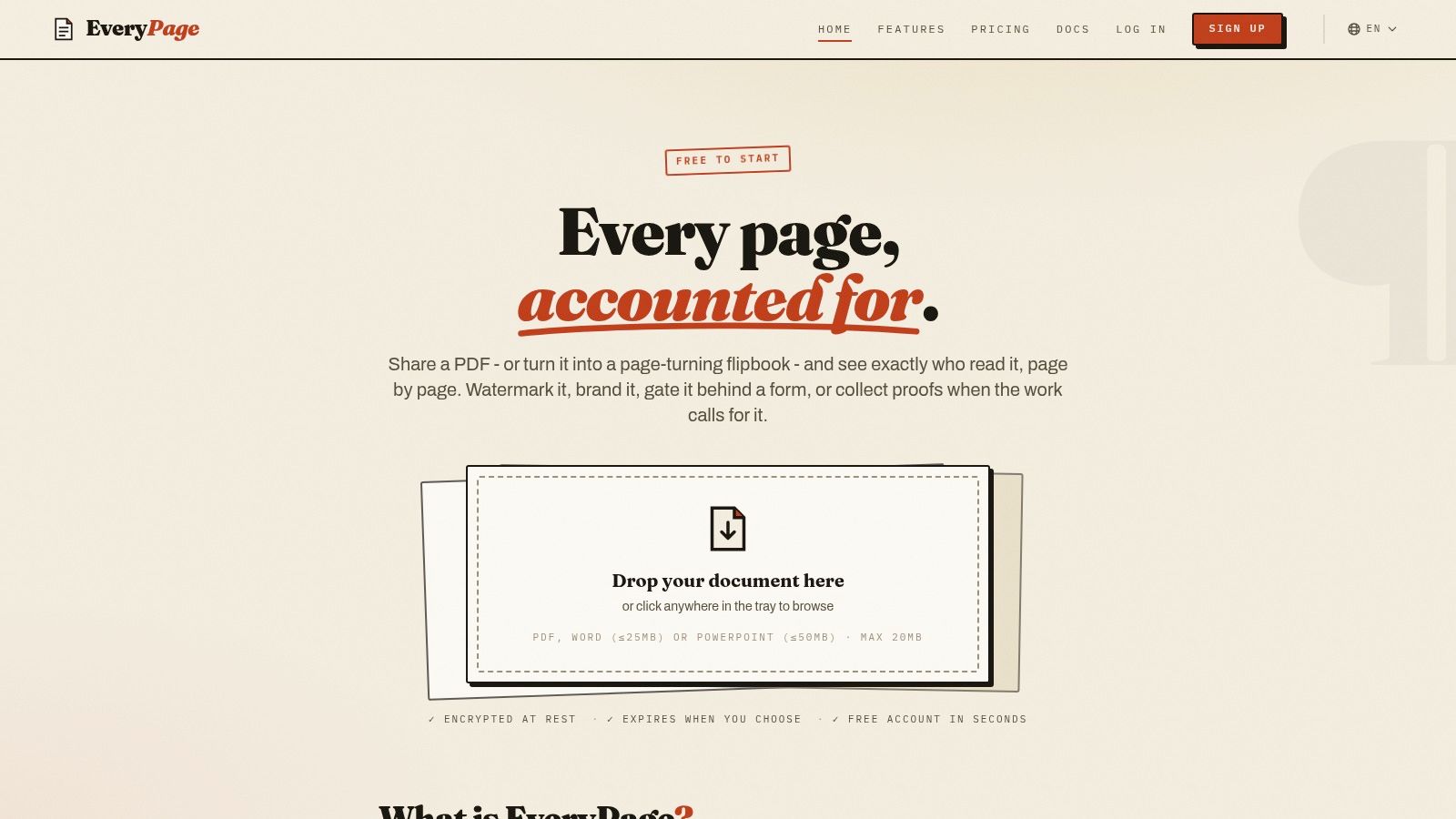
EveryPage is our product, and it supports this document-sharing pattern. Anyone can upload a PDF without an account and immediately copy a tracked share link, QR code, or embed code. Readers don't need an account or an app, while page-level reporting can show views, time on page, the read-through funnel, and returning readers through stable pseudonymous identities. EveryPage says it doesn't store visitor IP addresses, which supports a GDPR-friendly analytics approach compared with services that retain IP-based scan or visitor logs.
Where document controls stop
Expiry, passwords, watermarking, view budgets, and lead capture are sender-chosen controls. They shouldn't be confused with a full enterprise identity platform. EveryPage is a document-sharing and access layer, not a complete enterprise compliance suite or e-signature system.
A team that needs enterprise compliance controls may find DocSend a better fit. A team focused on e-signatures and contract workflows may prefer PandaDoc. EveryPage's honest limitation is that it won't replace those broader platforms for organisations whose main requirement is formal contract execution or enterprise governance. Its documented strengths are durable, updatable document links, no reader account requirement, IP-free page analytics, viewer modes, and flat account pricing rather than per-user fees.
The secure PDF sharing workflow is most useful when the document remains a durable asset. A sender can choose a permanent link, update the file in place, and retain the same printed QR destination instead of treating every distribution as a disposable transfer.
A Practical Checklist Before You Roll Out QR Access
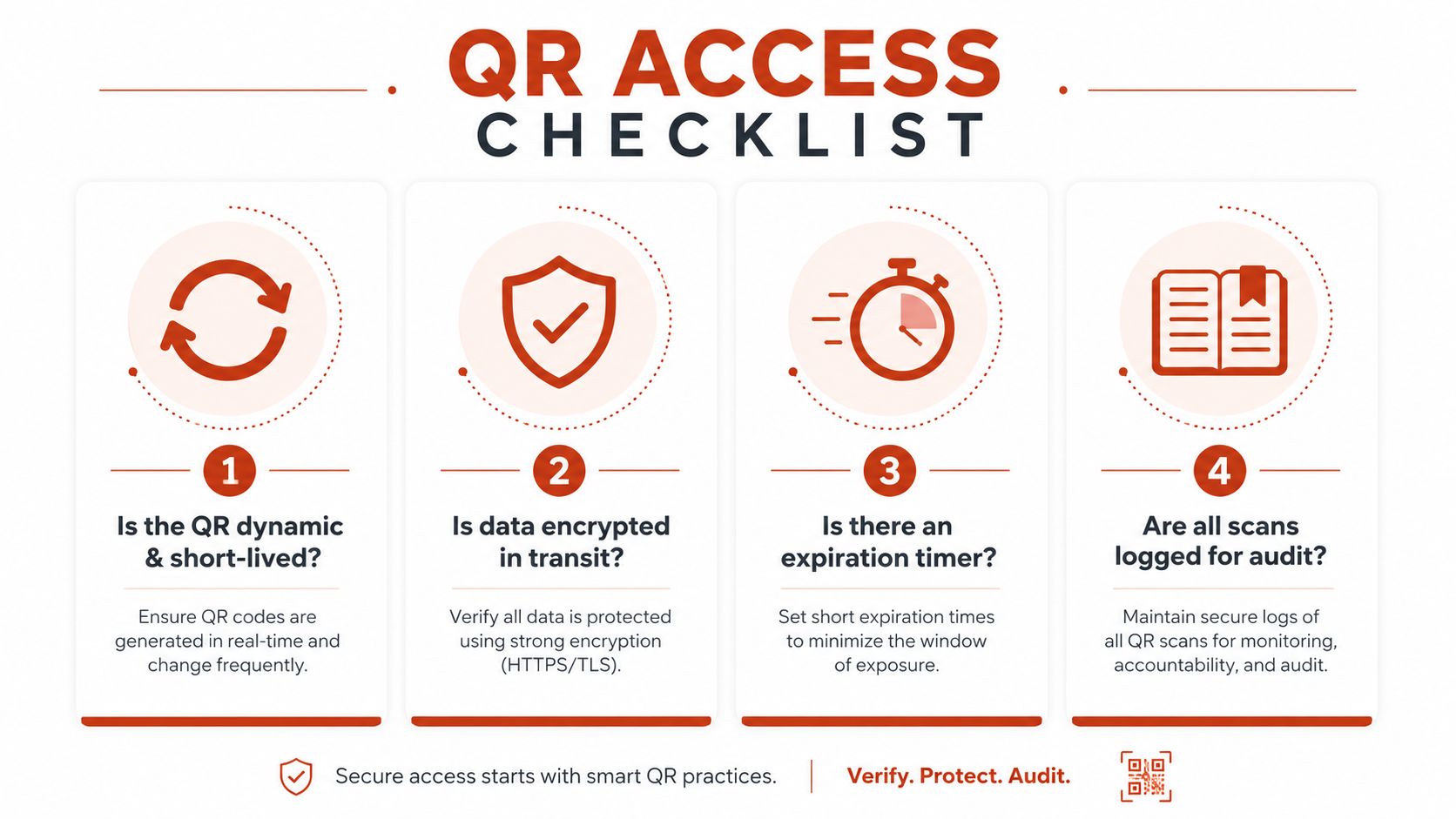
A QR deployment is sensible when the organisation can answer four questions clearly. Who decides access? How quickly can the service reject a copied code? What happens during an outage? Which usage data is necessary, and which data should never be retained?
Start with the credential
Ask whether the code is dynamic, time-bound, and revocable. For a visitor entering a restricted area, a copied static image shouldn't remain useful indefinitely. For a durable document, a permanent link may be the right choice, provided that the document service still applies its selected password, watermark, lead-capture, or viewer controls.
Check the server path rather than stopping at the scanner. It should validate the token, identity or session, permissions, and expiry on every relevant request. It should also record enough information to investigate an entry without collecting unnecessary personal data.
Test the operating conditions
Run the workflow with a busy reception queue, a weak connection, a phone with low brightness, and a user whose access has just been revoked. Then test the fallback. A staffed desk, physical badge, or alternative verification route can prevent a legitimate person being stranded while keeping the main system closed to unauthorised requests.
For document sharing, clarify whether readers need an account, whether analytics retain IP addresses, and how long access records remain available. Independent QR and GDPR guidance explains that dynamic QR services commonly receive scan details such as an IP address, timestamp, device type, and approximate location. Because IP-based scan logs are treated as personal data under GDPR, organisations need a lawful basis, clear disclosure, and a retention policy, as explained in this QR codes and GDPR guide.
Use a short approval checklist
- Dynamic and time-bound: Confirm that sensitive entry codes expire or become unusable after their intended session.
- Protected in transit and storage: Verify that the token and related records are encrypted and that the service rejects tampered values.
- Logged for audit: Record successful, denied, revoked, and expired attempts with a useful event time.
- Privacy-respecting: Prefer analytics that don't store reader IP addresses when page-level engagement is sufficient.
- Recoverable: Document what staff do when the network, phone, scanner, or identity service fails.
- Durable where appropriate: Keep permanent document links when continuity matters, and update the file in place rather than reprinting every QR asset.
EveryPage's pricing is flat per account, with Free, Basic at $9 per month, and Pro at $29 per month, with no per-user fees, as stated in its product information. That structure can suit teams sharing durable PDFs with a broad readership, although it doesn't remove the need to assess whether a document platform meets your organisation's identity, compliance, or signing requirements. Its optional expiry and self-destructing link controls are described in the security documentation for controlled links, while permanent links remain available when the document needs to stay active.
A QR code for access control is a sensible choice when the service behind it can make a fast, centralised decision, limit replay, log the outcome, respect privacy, and provide a realistic fallback. If the image is treated as the credential by itself, the system is relying on appearance rather than authorisation.
EveryPage lets you upload a PDF without an account, generate a tracked share link or QR code, and measure page-level reading without storing reader IP addresses. Visit EveryPage to create a durable document access link and test how QR-based sharing fits your next proposal, policy, or client delivery.
See who reads your next PDF.
Try EveryPage free