File Sharing for Business: A Practical Security Guide
Nick · Published 12 August 2026
You can feel it in the small silences of business life. A founder sends a pitch deck and waits for investor feedback that never lands. A freelancer delivers a proposal and starts wondering whether the client opened it at all. A sales lead shares a polished PDF, then spends the next hour guessing which version to follow up on. That pause after send is where file sharing for business becomes either useful or useless, because the document has left your inbox but the work hasn't finished.
The problem isn't delivery alone. It's knowing whether the right person saw the right version, whether they read it, and whether you can still control what happens next. That's why sharing should be treated as a durable document workflow, not a one-off transfer, and why a tracked link can be more valuable than another attachment.
Table of Contents
- The Silence After You Hit Send
- What Business File Sharing Covers
- Security and Compliance Obligations You Cannot Ignore
- What Reader Analytics Can and Cannot Tell You
- Matching the Tool to the Document Stage
- Comparing Representative Tools by Use Case
- A Buyer Checklist for Any File Sharing Vendor
- Putting the Lifecycle into Practice This Week
The Silence After You Hit Send
A founder finishes a clean deck, exports the PDF, and sends it to three investors. The inbox shows delivery, then nothing. One investor may have skimmed the team slide and stopped, another may have opened the financials twice, and a third may not have opened it at all. Without that signal, the founder follows up blindly and wastes time on the wrong conversation.
A freelancer feels the same pain in a smaller package. The proposal goes out, the client says they'll review it, and the thread stalls. The delivery itself looked successful, but there's no sign of whether pricing, scope, or timeline got attention.
A sales lead has a different version of the same silence. The deck is out, the client meeting is on the calendar, and the team is deciding whether to push harder or hold back. If you can't see which pages mattered, every follow-up becomes a guess.
Practical rule: if the document matters enough to influence revenue, compliance, or approval, it deserves a tracked path, not a blind send.
That's the core shift. Treat every important PDF as an asset with a lifecycle, from internal draft to external review to signed-off distribution. Once you think that way, the question stops being “How do I send this file?” and becomes “Which stage is this document in, and what control do I need right now?”
For readers who need a concrete way to do that, PDF read receipts are a useful starting point because they turn silent delivery into a visible event trail.
What Business File Sharing Covers
Business file sharing isn't one thing. It is a set of workflows that solve different problems, and the wrong tool usually fails because it was built for a different stage of a document's life.
Four common shapes of sharing
Email attachments still exist because they are easy, but they are fragile once a document needs version control or follow-up. Cloud sync drives such as Dropbox and Google Drive are better for keeping files available across devices, especially when a team needs a shared folder rather than a single send. Real-time coauthoring platforms such as Google Workspace and Microsoft 365 are the right home for internal drafting, because comments and edits live inside the working file. Tracked-link sharing services such as EveryPage or DocSend sit elsewhere in the workflow, because they are built for controlled external delivery, reader tracking, and post-send visibility.
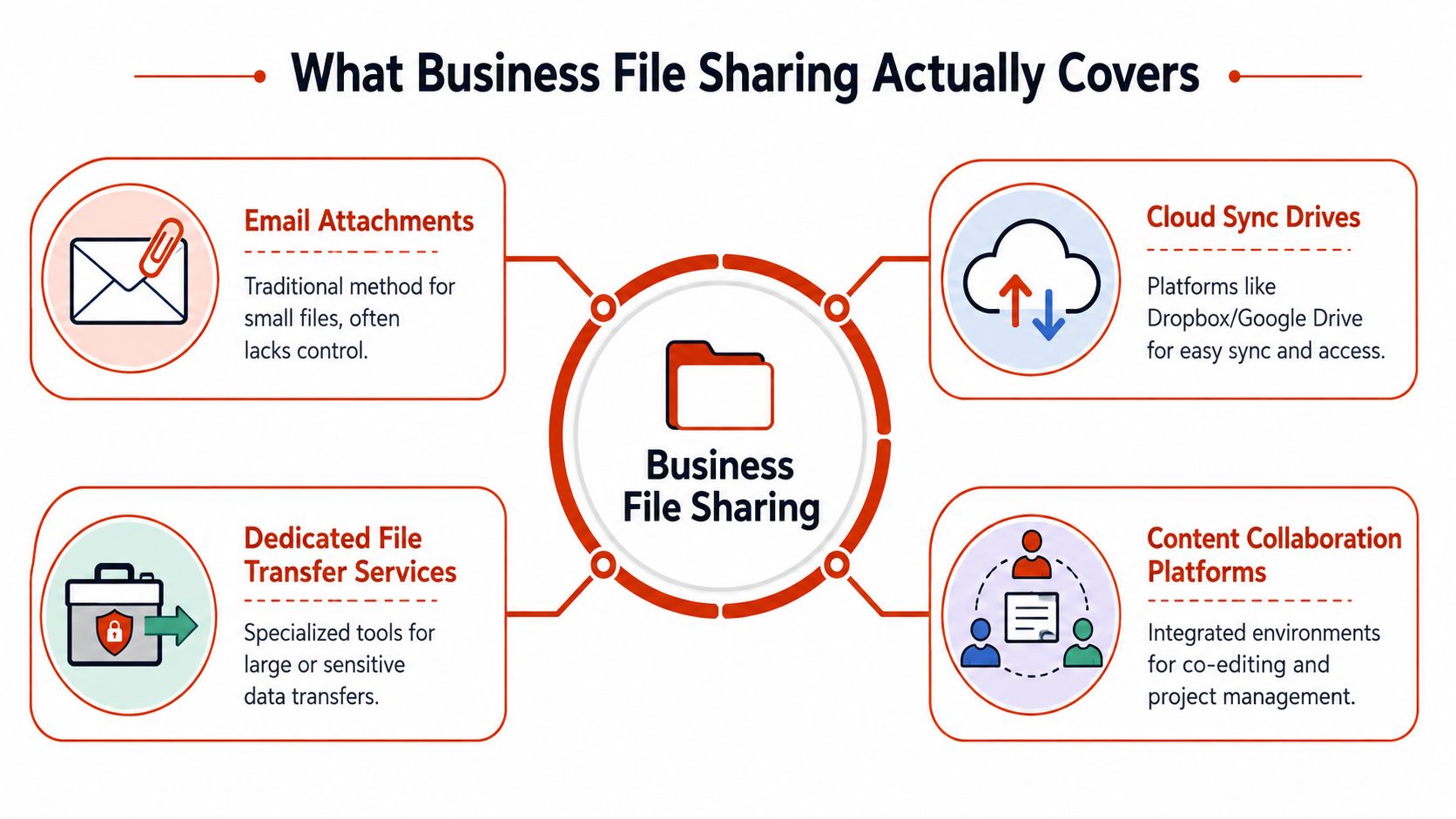
The practical distinction is simple. A drafting tool is there to help people change the file. A sharing tool is there to help people receive it under control. When those jobs get blurred, teams start using the same system for everything, and that is where confusion, overwritten copies, and weak permissions creep in.
The strongest setups separate internal coauthoring from controlled external distribution. Internal drafting needs fast edits, comments, and version history. External delivery needs tighter permissions, expiration controls, and some way to see whether the recipient opened the file without turning the document into a surveillance tool. Privacy-respecting analytics can show engagement, for example that a recipient viewed the deck or returned to a section, without storing reader IPs.
What belongs outside the category
Consumer transfer sites, anonymous pastebins, and personal cloud accounts used casually for work do not really count as business file sharing. They may move bytes from one place to another, but they rarely provide governance, accountable access, or a stable record of who saw what. In practice, that means they are fine for low-stakes material and poor for proposals, customer data, policy documents, and investor decks.
The right model is not "one tool for all files". It is "one tool for each stage".
That matters because a business needs more than storage. It needs a current version during drafting, controlled access during review, and a record of engagement during distribution. Those are different jobs, and they belong in different parts of the workflow.
Security and Compliance Obligations You Cannot Ignore
Once a file leaves the internal draft stage, the business takes on real obligations. Customer data needs protection, contractual information needs confidentiality, policy documents need evidence of distribution, and regulated teams need defensible controls. That's why secure sharing is not a niche feature set, it's part of ordinary operational hygiene.
The controls that turn sharing into process
Computerworld reported that the average enterprise used 57 file-sharing services and that the average employee used 4 distinct file-sharing services. It also found that organisations shared documents with 826 external domains on average, that 2.6% of shared files were publicly accessible on the internet, and that 9.2% of externally shared documents contained sensitive information (Computerworld's file-sharing usage statistics). Those figures explain why ad hoc sharing turns into governance sprawl so quickly.
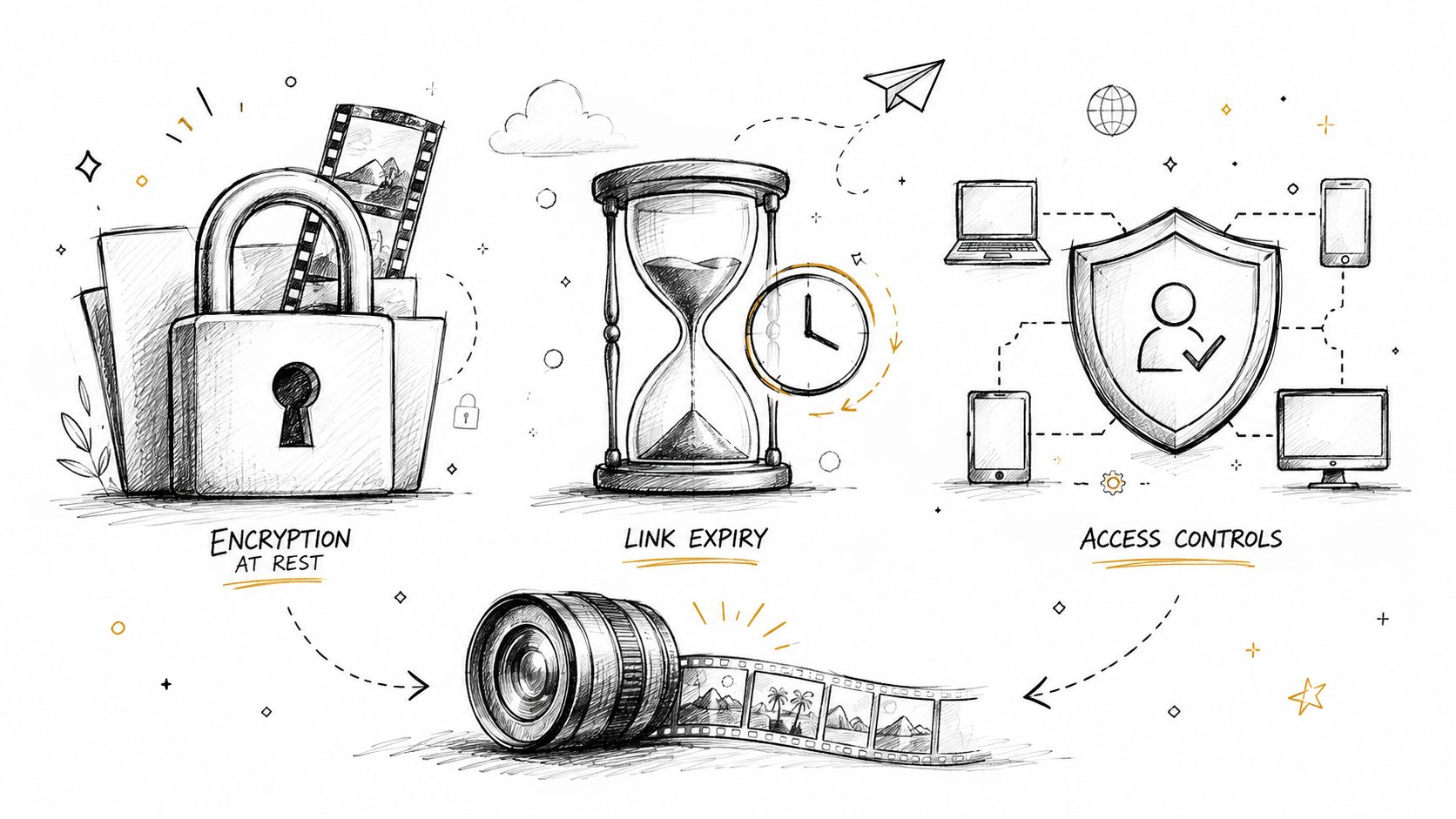
The sensible response is a set of controls that match the risk. Encryption, password protection, link expiry, watermarking, and audit logs all exist for a reason. They don't slow serious teams down when they're applied to the right documents, they stop the most common mistakes from becoming incidents.
- Encryption in transit and at rest: protects content while it moves and while it sits in storage.
- Password protection and expiry controls: reduce the chance that an old link keeps circulating after the deal, review, or policy cycle has moved on.
- Watermarking: gives readers a visible reminder that a file has an owner and a traceable trail.
- Audit logs: show who accessed the document and when, which matters when a client, auditor, or manager asks for proof.
- Revocation: lets you close access after the fact if a link was forwarded too widely.
Compliance is not the opposite of speed
AIIM reported that 29% of respondents saw security and unauthorised access as a major implementation challenge, while 60% said their biggest concern with cloud-based sharing outside the organisation was lack of visibility into what is shared and accessed (AIIM on file-sharing technology concerns). That's not a reason to avoid external sharing. It's a reason to make visibility part of the design.
Businesses often get the decision wrong. They treat control as a brake, then keep using weak workarounds because they seem faster. In reality, controlled sharing is what lets teams send sensitive work without constantly worrying about where it ends up.
EveryPage's security and privacy controls fit that model because the point isn't to hide the document, it's to keep the document governable while it's in motion.
What Reader Analytics Can and Cannot Tell You
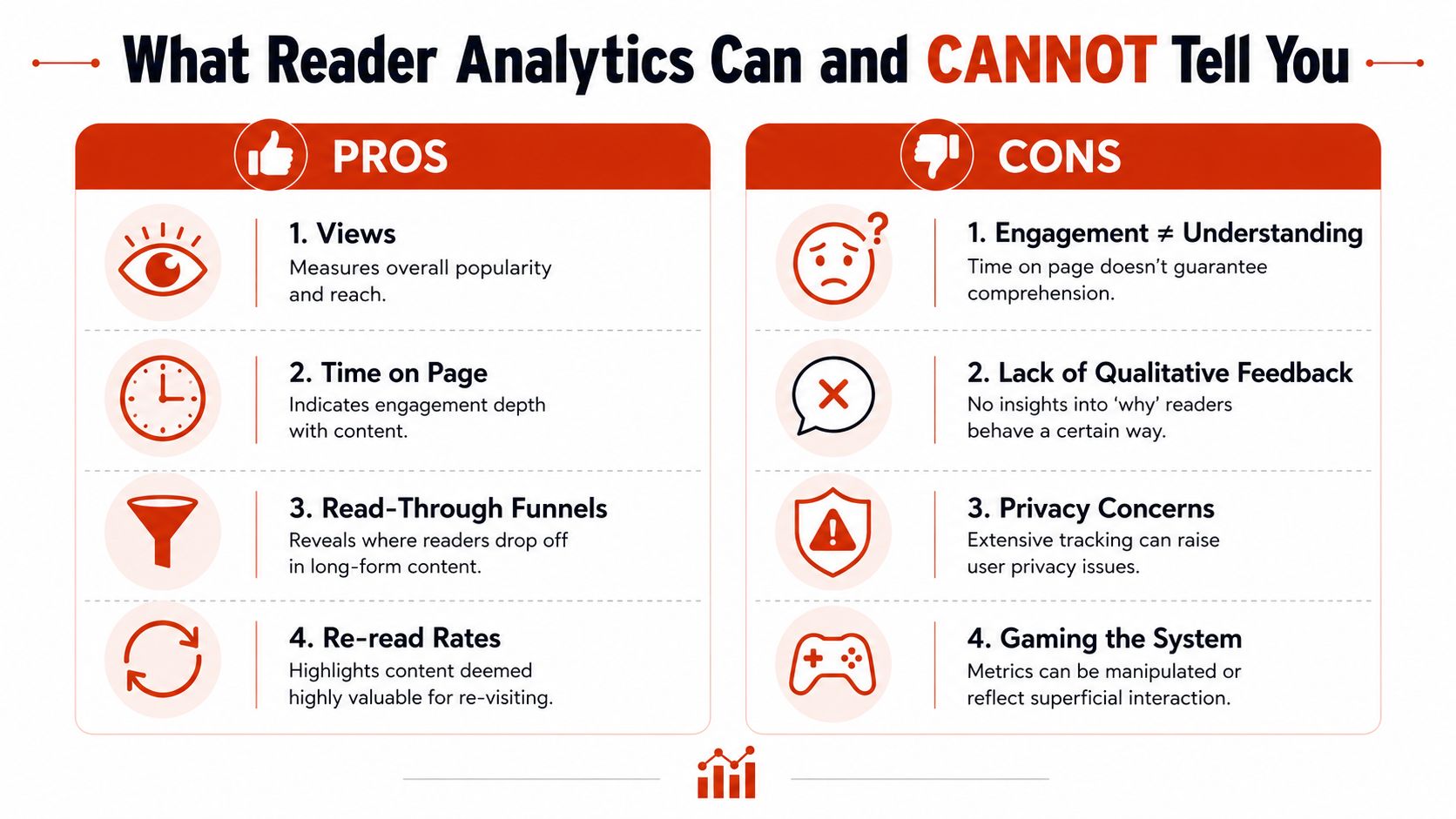
Reader analytics are useful, but they're easy to overread. A prospect spending longer on a pricing page might mean interest, caution, or a distracted browser tab. A repeat visit to a board slide might mean conviction, or it might mean the person was trying to find one number again.
Useful signals, limited conclusions
Page-level analytics can still be extremely practical. Views show reach, time on page shows depth, read-through funnels show where people fall away, and re-read rates show what gets revisited. Those signals help a founder, consultant, or sales rep decide where to focus a follow-up, especially when the document is a proposal, investor deck, or policy acknowledgement packet.
What they do not prove is comprehension, agreement, or intent to buy. A long dwell time doesn't mean the reader liked the content. A re-open doesn't mean approval. The data is directional, not magical.
Privacy-respecting measurement changes the trade-off
That's why privacy design matters. A better model gives page-level signals without storing reader IP addresses, uses pseudonymous labels instead of real identities, and resolves country in flight before discarding the address. Readers can open a file without creating an account, which lowers friction for external review and reduces the urge to over-collect data.
Practical rule: if the metric would make you uncomfortable to explain to a client, it's probably too much for a sharing workflow.
Retention and access also matter. Engagement data should be kept only as long as it serves a business purpose, and only the people who need it should see it. For a team that cares about secure readership visibility rather than surveillance, what EveryPage measures sets the useful boundary clearly.
Matching the Tool to the Document Stage
The cleanest way to choose a file-sharing system is to map it to the document's stage, not to the team's habits. A single file often moves through several tools, and that's normal when the workflow is designed properly.
Draft, review, deliver, acknowledge
Internal drafts belong in a coauthoring platform. That's where version history, comments, and live editing belong, because the file is still being shaped. Google Workspace and Microsoft 365 are the natural fit here.
External review belongs in a tracked sharing environment. That's where a founder sends a pitch deck, a freelancer sends a proposal, or a designer sends proofs for comment. The file should be readable, trackable, and protected, not open to casual editing by everyone who receives it.
Policy acknowledgement is different again. A compliance or HR document often needs a controlled delivery record, a visible read path, and sometimes expiry or revocation. The goal isn't collaboration, it's evidence.
High-stakes sales or investor material sits close to the same pattern, but with sharper consequences. Here, access control and reader analytics matter together, because the sender needs both a secure handoff and some sense of engagement.
| Document stage | Best-fit tool type | Why |
|---|---|---|
| Internal draft | Coauthoring platform | Comments, edits, and version history live in one place |
| External review | Tracked-link sharing service | Controlled access, reader visibility, and cleaner follow-up |
| Policy acknowledgement | Controlled distribution tool | Evidence of opening and read-through matters more than editing |
| Sales or investor distribution | Sharing service with analytics | Access control plus engagement signals support the next decision |
Editing tools own the draft, sharing tools own the delivery
That rule keeps teams from using a collaboration tool as a distribution system. It also stops them from forcing a controlled delivery platform to behave like a shared working document. If the file is still changing, keep it where people can edit safely. If the file is ready to be consumed, move it to a tool that can govern the handoff.
EveryPage fits as a sharing-first option. It handles tracked PDF delivery, page-level analytics, password protection, watermarking, dynamic links that can be updated in place, and no-reader-account access, but it isn't built for live coauthoring. That limitation matters, because it keeps the role clear.
Comparing Representative Tools by Use Case
There's no honest way to rank every tool as if the job were identical. A good comparison starts with the document stage and asks what each platform does well.
Use case first, product second
Google Drive and Microsoft 365 are strongest when the work is still being written. They're the right home for team editing, shared comments, and day-to-day draft control. Their limitation is also obvious, they're not designed to answer the question “did the client read it?” in a controlled distribution sense.
DocSend is a better fit for enterprise compliance teams that need tighter sharing controls and a delivery record for external audiences. It suits teams where governance matters more than document editing. The trade-off is that a compliance-heavy platform isn't trying to be a live coauthoring workspace.
PandaDoc fits contract and signature workflows. If the main job is turning a proposal into a signed agreement, that's closer to e-signature and document completion than simple sharing. The limitation is that signature-centric systems can be overkill if all you need is controlled PDF delivery.
EveryPage is our product, and it fits tracked PDF sharing for proposals, investor decks, client deliverables, and policy documents. It offers page-by-page analytics, viewer modes, passwords, watermarking, lead capture, custom domains, QR codes, dynamic links with file replacement, and no-reader-account access. Its honest limitation is that it's not a live coauthoring tool, so internal drafting still belongs elsewhere.
| Tool | Document stage | Strength | Limitation |
|---|---|---|---|
| Google Drive | Internal draft | Familiar coauthoring and shared storage | Weak fit for controlled external readership analysis |
| Microsoft 365 | Internal draft | Strong team editing and document collaboration | Not built primarily for tracked external distribution |
| DocSend | External governance | Stronger fit for compliance-minded delivery | Not a drafting workspace |
| PandaDoc | Contract completion | Good fit when signatures and workflows matter most | Overbuilt for simple PDF sharing |
| EveryPage | External delivery | Tracked-link PDF sharing with privacy-minded analytics | Not built for live coauthoring |
Pricing changes the fit more than people expect
Pricing only matters when it affects how a team can use the tool. EveryPage uses flat per-account pricing, Free, Basic at $9/mo, and Pro at $29/mo, with no per-user fees. That can be a clean fit for teams that send many documents but don't want seat-based billing to turn every recipient or teammate into a cost decision.
The useful question isn't which platform is cheapest in isolation. It's which platform matches the document stage without forcing the business to pay for the wrong model.
A Buyer Checklist for Any File Sharing Vendor
The vendor name matters less than the decision criteria. If a platform can't clear these checks, it's not a good fit for serious business sharing, no matter how polished the interface looks.
Five questions to ask before you commit
Start with security controls. Ask whether the vendor supports encryption, access management, expiry, and watermarking, and whether those controls are available without extra friction for the sender. If the answer is vague, the platform will probably be vague in practice too.
Then look at pricing. Seat-based billing can make sense for internal collaboration tools, but it can be awkward for distribution tools where the recipient doesn't log in. A flat per-account model is often easier to defend when the workflow is about outbound sharing rather than team editing.
Analytics deserve their own test. Ask what the platform measures, how the data is presented, and whether it stores reader IP addresses. A report that looks rich but can't tell you how people moved through the document is less useful than a simpler one that answers the follow-up question cleanly.
- Security controls: Does it offer the protections your documents need?
- Pricing model: Does cost rise fairly as the team grows?
- Analytics depth: Can you see real readership behaviour, not just opens?
- Integrations: Does it connect to Slack, Zapier, webhooks, or GA4 where your team already works?
- Privacy handling: Does it avoid storing reader IPs, or is that part of its model?
Ask the vendor who can see the data, how long it stays available, and what the sender can revoke later.
The last test is operational. Permissions and access lists need regular review, not a one-time setup. Avast's guidance is blunt on that point, permissions should be regularly assessed and updated, and access can be split by department, seniority, or individually (Avast on file sharing for business). That's the standard worth using when you're deciding whether a vendor can support real business discipline.
Putting the Lifecycle into Practice This Week
The best rollout is small, concrete, and repeatable. Start by deciding which documents need controlled delivery, which need collaborative editing, and which need both at different stages. Then make the sharing stage visible instead of leaving it buried inside someone's inbox.
Enable the controls that match the document
Turn on encryption at rest, link expiry where it makes sense, watermarking for sensitive deliverables, and read receipts for policy documents. If your team sends proposals, investor decks, or client proofs, treat the shared link as a durable document URL, not a disposable send. That mindset makes it easier to update a file in place instead of creating another version and another round of confusion.
Choose the right owner for each stage
If the file is still being edited, keep it in a coauthoring tool. If the file is ready to be reviewed, distributed, or acknowledged, move it into a sharing-first system that can control access and show readership. A business doesn't need one tool to do everything, it needs the right tool to own each phase.
Before rollout, ask any vendor three direct questions. How are reader identities derived, how long are analytics retained, and does pricing scale with seats or with usage? Those answers tell you more about fit than a feature grid ever will.
EveryPage gives you tracked PDF sharing with page-level analytics, privacy-minded reader handling, and controls like passwords, watermarking, QR codes, dynamic links, and no account required for senders or readers. If your team needs to move beyond blind attachments and treat documents as durable, measurable assets, visit EveryPage and see whether that workflow fits your next proposal, deck, or policy pack.
See who reads your next PDF.
Try EveryPage free