Document Storage Security: Practical Controls for Files
Nick · Published 18 August 2026
Most document storage security advice starts in the wrong place. It tells you to encrypt the file, restrict the folder, and trust the job is done. That protects the copy in the repository, but it says little about the PDF attached to an email, the shared link forwarded to a private account, the vendor workflow that downloads a copy, or the compromised credential that opens the document as a legitimate user.
The practical question is broader: what happens to a document after it leaves storage? Durable files need controls that follow the access path, not just the server. Link governance, viewer privacy, permissions, watermarking, monitoring, and rapid revocation all matter because a secure archive can still produce an exposed document.
Table of Contents
- Why Encrypted Storage Is Not Enough
- Core Layers of Document Storage Security
- Access Controls That Actually Work in Practice
- Privacy and GDPR Considerations for Document Analytics
- Comparing Secure Document Sharing Platforms
- Real-World Scenarios for Secure Document Sharing
- Your Document Storage Security Checklist
Why Encrypted Storage Is Not Enough
Encryption at rest is a baseline, not a verdict. It protects stored data from someone who obtains the underlying disk or storage object, but it doesn't stop an authorised user from forwarding a link, downloading a copy, photographing a screen, or pasting sensitive text into another service. The storage layer can be perfectly configured while the document is exposed through ordinary business activity.
The breach history of regulated records makes the point clearly. A 2024 summary of U.S. healthcare breach reporting said that 725 healthcare data breaches were reported in 2023, including 21 breaches involving physical paper or film records that affected over 250,000 individuals. Paper records represented about 4.4% of healthcare breaches involving individuals, while paper sources appeared in 22.4% of breaches at covered entities and 21.6% at business associates.
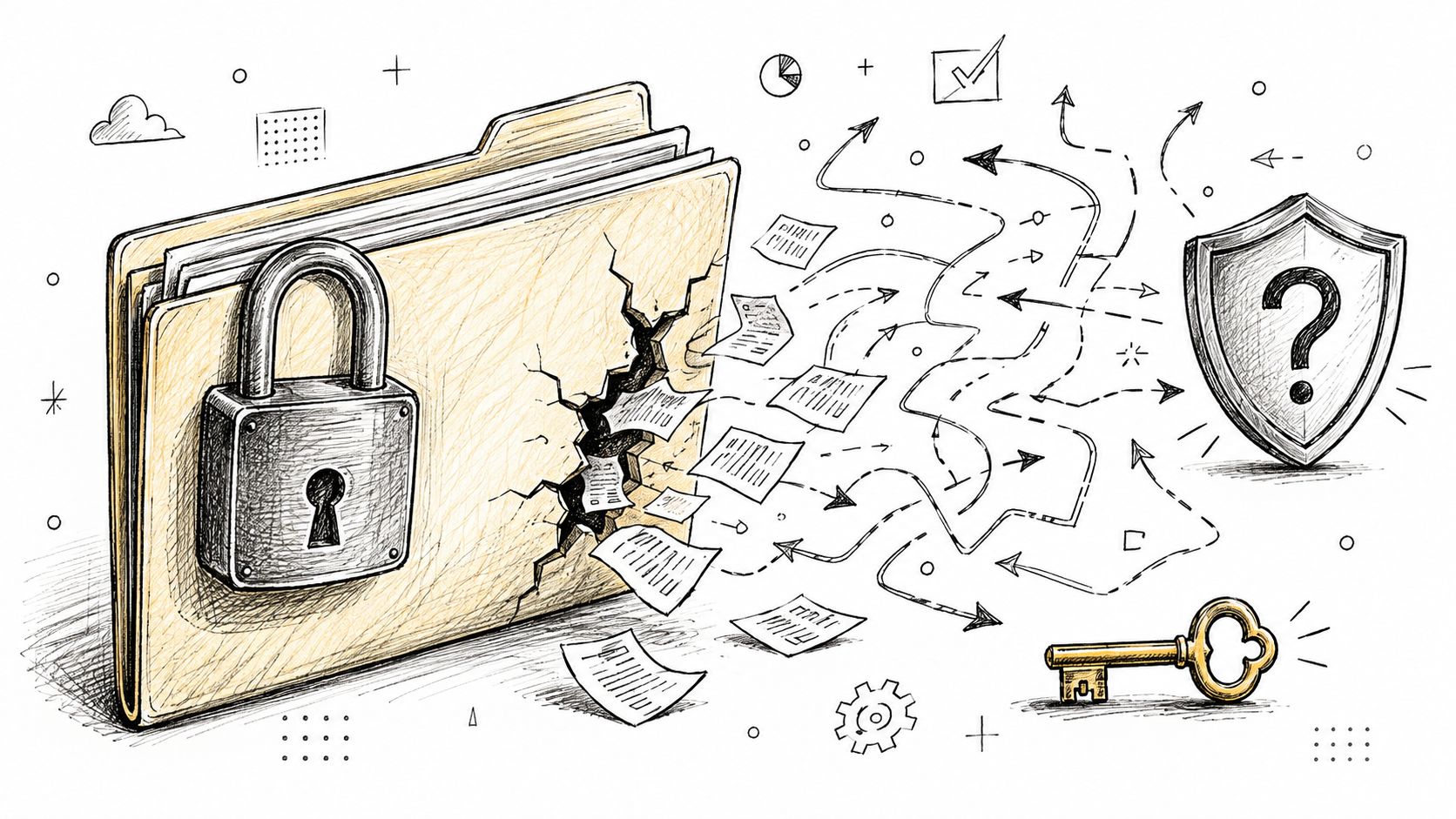
Those figures aren't an argument against digital storage. They show that security follows the document through its lifecycle. A scanned patient file can be exposed by a poorly controlled archive, an exported report can sit in a vendor's inbox, and a printed contract can enter a disposal process no one monitors. Encryption and privacy controls for shared documents are useful only when they sit alongside clear ownership of copies, links, and viewers.
The downstream exposure problem
Modern teams create document copies constantly. A sales representative downloads a proposal to edit a figure, legal sends a revised version to an external adviser, and a compliance manager posts a policy in a collaboration channel. Each hand-off creates a new access decision.
The 2025 U.S. data breach report from the Identity Theft Resource Center recorded 3,322 data compromises in 2025, a 79% increase over five years. It also reported that service providers accounted for eight of the twenty largest breaches, affecting 231 million people, while vulnerability exploitation represented 20% of initial access vectors in Verizon's 2025 analysis cited in the same verified data.
Practical rule: Treat every shared link as a security boundary, not as a neutral delivery mechanism.
What a complete control set looks like
A useful operating model asks who can open a document, what they can do inside it, whether the owner can see that activity, and how access ends. Expiry can be appropriate, but it shouldn't turn durable business documents into disposable transfers. Some links should remain permanent and update in place, while sensitive links need revocation or a defined end date.
The strongest programmes therefore combine encrypted storage with identity-aware sharing, controlled downloads, per-viewer deterrence, privacy-conscious analytics, and a tested response process. If the document changes, the owner should know which link is authoritative and be able to replace the file without scattering new URLs across email threads.
Core Layers of Document Storage Security
A reliable document storage security design has three connected layers: protection of the stored file, protection of the keys, and control of the identities and trust zones that can reach it. Leaving out any one of these creates a false sense of completion.
Encryption protects content at rest
Sensitive documents should be encrypted at rest with an authenticated encryption method such as AES-256-GCM. Encryption makes the stored object unreadable without the relevant key, which limits the value of a stolen disk, backup, or storage snapshot.
It doesn't replace transport security, access controls, retention rules, or audit records. A proposal encrypted in a cloud drive can still be downloaded by a broadly permissioned account. A policy encrypted in an archive can still remain available long after the employee who needed it has left.
Key management determines the real boundary
NIST and SNIA guidance treats encryption as necessary but insufficient. The NIST storage security publication describes the need for strict key access controls, centralised automation, rotation, and separation between the data encryption key and the key encryption key.
That separation matters because storing ciphertext and its decryption keys within the same trust boundary weakens the design. If an intruder obtains both, encryption becomes a container rather than a barrier. Envelope-style encryption keeps the document key wrapped by a separately managed key, reducing the blast radius of a suspected compromise and making re-keying more practical.
A sensible arrangement includes:
- Separate key custody: Keep key management logically distinct from document storage.
- Restricted administration: Limit who can create, export, rotate, or disable keys.
- Automated rotation: Rotate keys through a controlled process rather than relying on memory.
- Auditable use: Record key access and investigate unusual requests.
Permissions define who can reach the file
A sales team may store proposals in a shared drive for convenience, but that folder often contains old versions, internal pricing, and unrelated client material. A dedicated sharing platform can create a narrower boundary around the exact document and the recipient-facing actions.
Use role-based permissions internally, separate editing from viewing, and review inherited access. For external sharing, prefer a link that can be revoked independently from the source repository. That keeps a sales hand-off from becoming a permanent extension of the whole drive.
Encryption protects the object. Permission design protects the decision to release it.
Government records management shows why lifecycle governance belongs in this layer. The National Archives Federal Agency Records Management Report 2023 reported that agencies assessed as low risk fell from 46% in 2021 to 38% in 2023, while moderate risk rose from 40% to 48% and high risk remained at 14%. Its 2024 figures still showed substantial risk, including 61% low risk, 28% moderate risk, and 11% high risk, and only 66% of agencies with analog records said they met inactive-record transfer requirements by June 30, 2024.
The lesson is operational. Secure storage includes retention, transfer, disposal, and ownership, not just cryptography.
Access Controls That Actually Work in Practice
Controls work when they match the document and recipient. A founder sending a public brochure doesn't need the same restrictions as a solicitor sending a confidential transaction pack. Over-control creates workarounds, while under-control leaves the sender unable to explain who saw what.
Start with the smallest useful barrier.
Match controls to the share
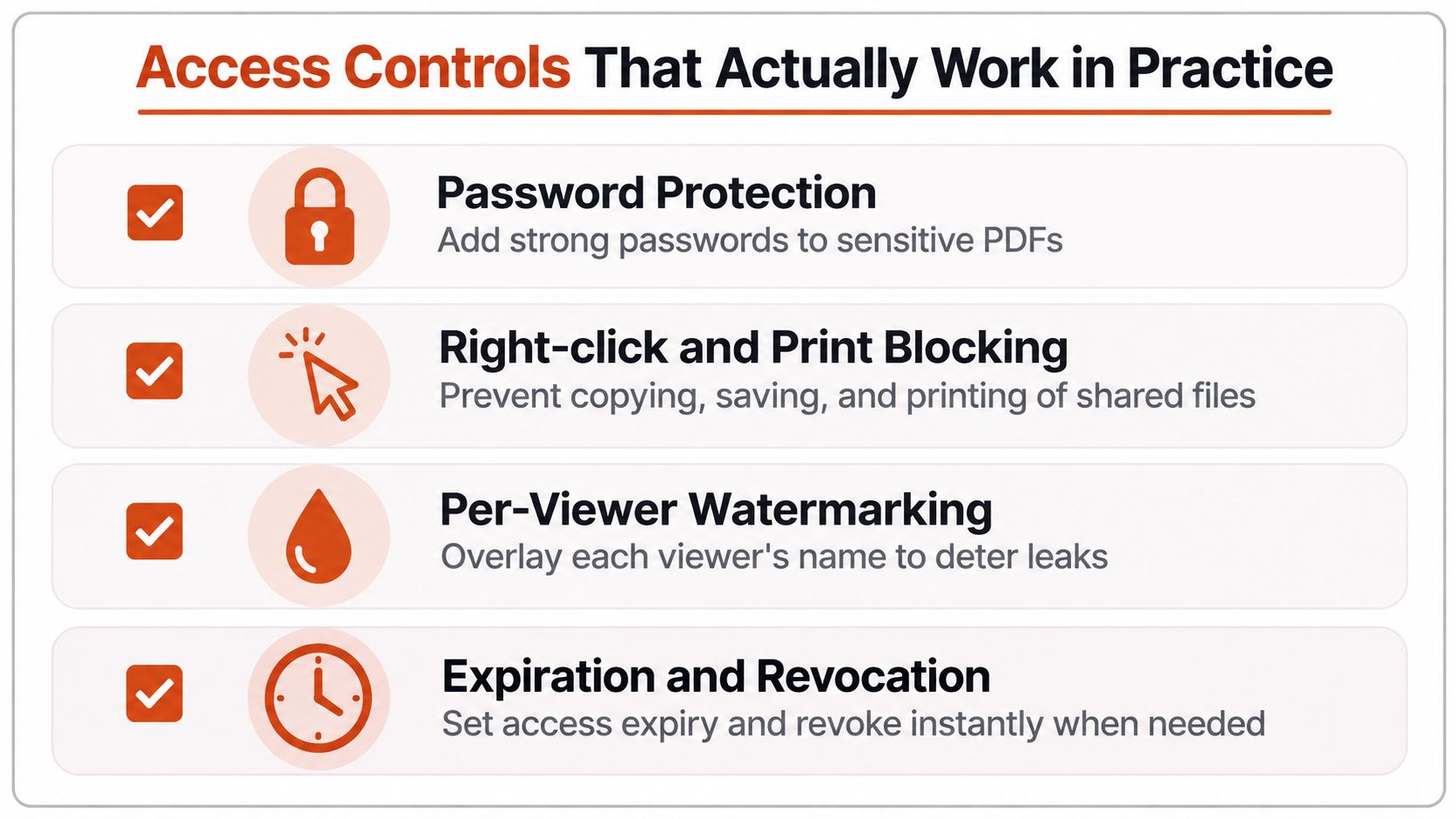
Password protection is appropriate for a sensitive PDF shared with a known recipient. Send the password through a separate channel, use a strong unique value, and remove access when the relationship changes. Passwords won't help if the recipient forwards both the link and password together.
Right-click, copy, and print blocking reduces casual extraction from a browser viewer. It helps with routine handling, but it can't defeat screenshots, phone cameras, accessibility tools, or a determined recipient. Treat it as friction, not absolute prevention. The EveryPage download control documentation describes this type of restriction in the context of shared PDFs.
Per-viewer watermarking places an identifiable viewer label on pages or downloaded copies. It discourages casual leaks because a forwarded image carries context about its source. It doesn't stop someone photographing the screen, so use it with recipient verification and sensible permissions.
Govern the link itself
Expiry is an optional control, not a definition of document sharing. Use it for a tender response, a private board pack, or a document whose commercial relevance ends after a review. For policies, brochures, and living proposals, a permanent link that can be updated in place may be safer than circulating multiple uncontrolled versions.
Self-destructing view budgets can suit highly sensitive material when the sender wants access to end after a chosen number of views. Domain allowlists add another boundary where recipients should use a corporate email domain. Neither control compensates for a compromised recipient account.
Lead capture forms and email gates serve two purposes. They establish a basic recipient record before access and help a sales or marketing team qualify engagement. They aren't identity proofing, so don't treat an entered email address as proof that the person is authorised.
Monitor and respond
Page-level analytics can show whether someone opened a document, where they stopped, whether they returned, and how much they read. That information supports follow-up and incident review, but it should be collected in a way that respects privacy obligations.
A workable response protocol answers four questions:
- Who owns the link: Assign a person responsible for reviewing access and revoking it.
- What triggers action: Define responses for a departed employee, suspected forwarding, or a changed commercial relationship.
- How access ends: Test revocation rather than assuming the interface behaved as expected.
- What survives replacement: Confirm that updating a file doesn't create uncontrolled duplicate links.
Privacy and GDPR Considerations for Document Analytics
Analytics can improve document security when they reveal unusual readership, repeated access, or unexpected engagement. They can also create a second compliance problem if the platform stores more personal data than the business needs.
The European Commission lists an Internet Protocol address as an example of personal data because it can identify a person directly or indirectly. The European Commission's GDPR explanation also makes clear that pseudonymised information remains in scope when it can still be linked back to an individual.
The implication for document analytics is straightforward. A platform that retains IP logs may need to justify the processing, define retention, secure the records, respond to access requests, and explain the data use to readers. The CJEU's Breyer ruling is commonly cited for the principle that a dynamic IP address can still be personal data where the operator has legal means to obtain additional identifying information. The Breyer decision explained in GDPR context gives the relevant background.
Measure readership without collecting the address
A privacy-conscious design can derive a pseudonymous identity through a salted one-way hash, resolve country in flight, and discard the address. That still requires careful documentation and a lawful basis for the remaining processing, but it avoids retaining a raw network identifier as a routine analytics record.
This is the approach used by EveryPage, our product, which provides page-level reader analytics without storing reader IP addresses. Readers don't need an account, and the sender can still see views, time on page, read-through behaviour, re-reads, and a pseudonymous reader label. The GDPR guide to PDF tracking sets out the privacy rationale for this model.
Avoid confusing pseudonyms with anonymity
A salted identifier isn't automatically anonymous. If a business can connect the label to a person through other records, GDPR obligations may still apply. Teams should document what they collect, why they collect it, how long they retain it, and who can access the analytics.
The European Parliament's written response on IP classification notes that identifiability depends on the circumstances and the means reasonably likely to be used, including cost and time. That supports a data-minimisation approach: collect the engagement signal needed for the workflow, and avoid retaining an identifier that adds more compliance weight than operational value.
For EU prospects, investors, employees, or policy readers, IP-free analytics can make the privacy conversation easier. It doesn't remove the need for a lawful basis, notices, retention controls, or a processor review, but it narrows the data footprint.
Comparing Secure Document Sharing Platforms
A platform should be selected by workflow, not by a universal ranking. Enterprise compliance teams may need extensive audit trails and governance features, while a freelancer may need a controlled PDF link without forcing every client to create an account.
| Platform | Best For | Key Differentiator | Limitation |
|---|---|---|---|
| DocSend | Enterprise compliance teams and structured deal sharing | Established document-sharing workflow with detailed engagement and governance capabilities | May be a heavier choice for simple, broad external sharing |
| PandaDoc | E-signatures and contract workflows | Combines document workflows with signing processes | Less focused on privacy-first, page-level PDF readership without a broader contract workflow |
| EveryPage | Teams needing flat pricing, IP-free analytics, and no-account sharing | Durable tracked links, four viewer modes, page-level analytics, and no per-user fees | It is PDF-centric rather than a native document editing environment |
DocSend fits teams whose priority is enterprise governance around document sharing and audit trails. PandaDoc is the more natural choice when the core job is preparing, approving, and signing contracts. Those products solve adjacent problems well, and choosing them can be sensible when their workflow depth matters more than a lightweight sharing path.
EveryPage is our product. It lets someone upload a PDF and create a tracked link without an account, while readers can open the document without an account or app. Its viewer modes include standard, flipbook, swipe, and magazine, and its dynamic links preserve the URL after file replacement. That makes a link a durable, updateable document address rather than a disposable attachment.
The pricing model is flat per account, with Free, Basic at $9 per month, and Pro at $29 per month, and no per-user fees. The economic distinction matters when many external viewers need access. Independent subscription software pricing research explains why per-user models grow with seats, while flat pricing keeps costs more predictable as collaborators and viewers increase.
EveryPage's honest limitation is its PDF-centred workflow. It isn't the right choice for teams that need native document editing or a full e-signature process. For broad sharing, IP-free analytics, no-account access, watermarks, passwords, lead forms, and dynamic replacement matter more than forcing every recipient into a seat-based system.
Real-World Scenarios for Secure Document Sharing
A startup founder sends a pitch deck to prospective investors through a durable tracked link. The founder uses page-level analytics to see which slides were opened, where readers stopped, and whether they returned to the financial section. That doesn't prove investment intent, but it gives the next conversation a useful starting point without distributing several stale PDF attachments.
A freelancer takes a different approach with a proposal. The document is password protected, pages carry a viewer watermark, and a lead capture form asks for the recipient's details before access. The freelancer can use engagement data to decide whether to follow up on the scope, pricing, or portfolio section, while recognising that blocking downloads and printing only adds friction rather than making copying impossible.
A compliance team circulating a new policy has a different obligation again. The policy needs a stable address so employees don't keep reading an outdated attachment, and the team needs read-through evidence without retaining reader IP addresses. Page views, time on page, read-through behaviour, and return visits can support acknowledgement workflows, but the organisation still needs its own retention policy and a process for handling employees who haven't read the document.
These examples share a design principle: the document remains a durable asset, while access and analytics remain governable. Expiry can be selected for a confidential deal pack, but a policy or maintained proposal may need a permanent link and in-place replacement. The right control depends on sensitivity, audience, and the consequence of unwanted disclosure.
Your Document Storage Security Checklist
Use this checklist before releasing the next sensitive document:
- Encrypt stored files: Use strong encryption at rest and keep keys separate from the encrypted data.
- Review permissions: Remove inherited access and assign the least privilege needed.
- Control the link: Choose password protection, expiry, revocation, or a permanent updateable URL deliberately.
- Deter extraction: Apply download, copy, print, and watermark controls where the risk justifies the friction.
- Minimise analytics data: Prefer readership signals that don't require retaining reader IP addresses.
- Monitor engagement: Review unusual access, repeated reads, and unexpected viewers.
- Plan replacement: Keep one authoritative link and test what happens when the file changes.
- Test response: Revoke a share, confirm the result, and record who owns follow-up.
EveryPage provides encrypted PDF storage, page-level analytics without stored reader IP addresses, no-account sharing, passwords, watermarking, download controls, and durable links that can be updated in place. If you want to secure what happens after a document leaves storage, visit EveryPage and create a tracked share for your next proposal, policy, deck, or client file.
See who reads your next PDF.
Try EveryPage free